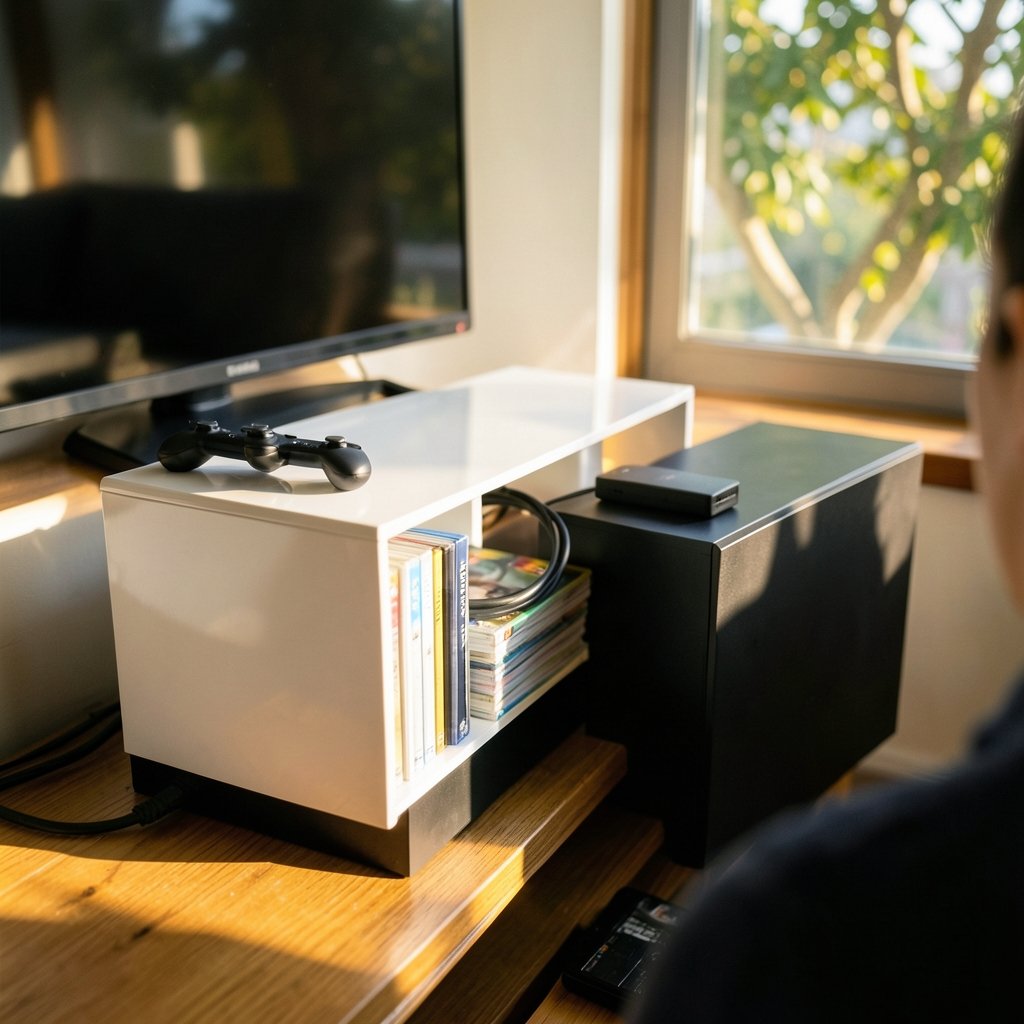
What if the console everyone tells you to buy is actually the wrong one for your living room, your budget, and your friends list? That’s the trap most shoppers fall into. The “best” gaming console isn’t a single machine. It’s the one that matches your habits, and the gap between a great fit and a bad one is wider than most people expect.
This roundup cuts straight to named options. Each pick gets a clear “who it suits” verdict, one honest limitation, and the trade-offs that actually matter once the honeymoon phase ends. No filler, no spec-dump worship. Just the shortlist, compared.
The Shortlist at a Glance
| Console | Best for | Standout strength | Main drawback |
|---|---|---|---|
| PlayStation 5 Slim | Most players who want a single do-everything machine | Huge exclusive lineup plus the DualSense controller | Exclusives are expensive to make, so they arrive slowly |
| PlayStation 5 Pro | Players chasing the sharpest visuals | Most powerful console of the current generation | Highest price of the group |
| Xbox Series X | Players who want maximum raw power and cheap access to many games | Game Pass subscription value and broad backward compatibility | Fewer true exclusives; first-party titles increasingly appear on PlayStation too |
| Xbox Series S | Budget-first buyers | Cheapest entry into current-generation gaming | Less powerful than its bigger sibling |
| Nintendo Switch 2 | Families, commuters, and Nintendo loyalists | Hybrid play with a 7.9-inch 1080p screen and 120fps support | Smaller launch library and less raw power than rivals |
| Nintendo Switch Lite | Pure handheld players | Low cost, sturdy single-piece build, comfy to hold | No TV output and no detachable Joy-Cons |
| Steam Deck OLED | PC players who want a handheld | Access to a PC game library on the go | Not a plug-and-play console experience |
That table is the map. The rest of this article is the territory.
PlayStation 5 Slim: The Safe Bet for Most People

If someone wants one box under the TV that handles big-budget adventures, multiplayer nights, and streaming apps without much thought, the PS5 Slim is the easiest recommendation to defend. It runs the strongest exclusive lineup of the generation, including titles like Spider-Man 2, God of War, Horizon, and The Last of Us. It also plays nearly every PS4 game you already own, which softens the upgrade cost considerably.
The DualSense controller deserves its reputation. Adaptive triggers and advanced haptics add real texture to games that use them properly, and it remains the most feature-packed pad Sony has built.
The limitation is on the software calendar, not the hardware. System-selling exclusives now cost more to produce than ever, and long development cycles mean fewer of them arrive each year. Buy a PS5 for the games that exist, not for a promise of what’s coming.
PlayStation 5 Pro: For the Pixel-Obsessed
The PS5 Pro is the most powerful console on the market, and for a certain buyer that sentence ends the debate. If you own a high-end TV and notice the difference between performance and fidelity modes, this is the machine that lets you stop choosing. It offers the same ecosystem, the same controller, and the same library as the Slim, just rendered with more headroom.
Here’s the practical reality check: the standard PS5 technically lags slightly behind the Xbox Series X on raw specs, and that gap has never made a noticeable difference in real games this generation. That tells you something important. Paying the Pro premium is about polish, not access. If you’re happy with how current games look on a standard set, the extra spend buys you bragging rights more than new experiences. For most households, the Slim remains the smarter buy.
Xbox Series X: Power and Subscription Value
The Series X is the muscle car of the group. It packs a custom AMD Zen 2 CPU running at 3.8 GHz, an AMD RDNA 2 GPU rated at 10.3 TFLOPS, and 16 GB of GDDR6 RAM. Output climbs to 4K at 120Hz with variable refresh rate support, and backward compatibility stretches across nearly the entire Xbox, Xbox 360, and Xbox One catalog. If you have a shelf of old discs, that matters more than any spec sheet.
Where Xbox genuinely wins is Game Pass, widely regarded as the best-value subscription in gaming. A rotating library for a flat monthly fee changes how you play. You try things you’d never buy. You stop treating every game as a $70 commitment.
The honest downside is identity. Microsoft has been steadily raising prices and pushing its first-party titles toward other platforms, which makes the Xbox a harder recommendation than it used to be. Fewer true exclusives means less reason to pick it over a PlayStation unless Game Pass or backward compatibility is your priority. If you’re pairing a new console with a desk setup, it’s worth reading up on how to choose the best gaming keyboard for your setup so the whole station feels coherent.
Xbox Series S: The Budget Doorway
The Series S is the cheapest way into current-generation gaming, and that alone earns it a spot. It plays the same new releases as the Series X, fits on a narrow shelf, and pairs naturally with a budget-friendly TV. For a second room, a dorm, or a household testing whether console gaming sticks, it’s a low-risk entry point.
The trade-off is horsepower. It’s meaningfully less powerful than the Series X, and that shows up in resolution and frame-rate targets on demanding titles. If you’re weighing a console against a portable PC, the same budget logic applies in our guide to finding the best cheap gaming laptops without wasting money. Neither path is wrong. They just serve different rooms and different habits.
Nintendo Switch 2: The Hybrid That Does It All
Nintendo’s follow-up fixes the original’s biggest weakness: power. The Switch 2 jumps from 720p to 1080p in handheld mode and reaches 4K when docked, with a 7.9-inch panel and 120fps support. Games that stuttered on the original now run smoothly, and demanding titles like Cyberpunk 2077 are playable on it.
The library is the other half of the story. Mario Kart World and Donkey Kong Bananza show Nintendo at its most charming, and almost the entirety of the original Switch catalog carries over. For families, commuters, and anyone who wants to play on the train and then dock to the TV, no rival matches the flexibility.
Two limitations keep it from being universal. The LCD screen is a step down from the Switch OLED in contrast and color, though higher resolution and HDR offset that. And the launch library is still thin. If you’ve already played the original Switch catalog, the upgrade is about hardware, not new games. Plenty of people would rather wait for a bigger library before spending the cash.
Nintendo Switch Lite: Cheap, Sturdy, Handheld Only
The Switch Lite drops the defining “switch” feature and still manages to shine. By focusing purely on portability, Nintendo built something sturdier, lighter, and more comfortable for long sessions. The single-piece body adds durability, and the color options are genuinely fun. A proper D-pad is a welcome bonus.
The catch is baked into the design. It won’t play games that require Joy-Cons, and it can’t dock to a TV. Battery life still isn’t great either. But if you solely want a portable console, the Lite keeps costs down while giving you access to Nintendo’s rich catalog. It’s the best second console on this list.
What About Handheld PCs?
The Steam Deck OLED and Asus ROG Ally X appear on most serious roundups, and they deserve the attention. Both run PC games, both handle a huge library, and both blur the line between console and computer. They’re excellent machines.
They’re also not consoles in the traditional sense. Setup is fiddlier, compatibility varies by title, and the experience rewards tinkering. If you want to press a button and play, stick with the dedicated consoles above. If you already live in Steam, a handheld PC may beat every option here. Just budget for accessories the way you would for any setup, including a proper wireless gaming headset that actually matters when you buy one.
How to Choose Without Regret
Work through these in order. The first question usually settles it.
- List the five games you most want to play. Whichever console owns three of them wins. This single step eliminates most bad purchases.
- Decide where you play. TV only points to PlayStation or Xbox. Handheld or commute play points to Switch or a handheld PC.
- Set a hard total budget. Include the console, one extra controller, a year of online service, and two games. The sticker price is rarely the real cost.
- Check your existing library. Backward compatibility with discs or digital purchases can save you hundreds.
- Think in years, not months. The smarter question is which system will still serve you in five years, not which one has the flashiest launch window.
- Factor in the people you play with. Cross-platform friends pull you toward whatever they own.
One more practical tip: don’t buy at launch unless a specific game forces your hand. Libraries grow, prices soften, and hardware revisions arrive. Patience is the cheapest upgrade available. And if you’re building out a full room, small comforts count, which is why even a modest pick from the best budget gaming chairs that actually matter before you spend can make long sessions easier on your back.
Common Mistakes That Cost Real Money
Buying for graphics alone tops the list. The most powerful console means little if its exclusives don’t interest you. A close second is ignoring subscription costs, which quietly add up over a console’s lifespan.
Another frequent error: skipping the backward compatibility check. Someone who owns thirty PS4 discs shouldn’t casually switch ecosystems. And plenty of buyers forget the second controller, then discover local multiplayer needs one on night one.
Finally, don’t over-index on launch-day reviews. A console’s value is decided by its library three years in, not its first month.
Conclusion
There is no single best gaming console, and anyone who insists otherwise is selling something. The PS5 Slim is the safest pick for most households. The PS5 Pro is for players who want the sharpest picture and will pay for it. The Xbox Series X wins on raw power and subscription value, while the Series S wins on price. The Switch 2 is the most flexible machine you can buy, and the Switch Lite is the smartest cheap handheld.
Pick the one that matches your games, your room, and your budget. Then stop researching and start playing.
Frequently Asked Questions
Which gaming console is best for most people?
The PlayStation 5 Slim is the easiest recommendation for a general audience. It has the strongest exclusive lineup, plays nearly all PS4 games, and includes the feature-rich DualSense controller. The main caveat is that big exclusives arrive slowly because they’re expensive to produce.
Is the PS5 Pro worth it over the standard PS5?
Only if you have a high-end TV and care about visual fidelity. The standard PS5 already runs the same games well, and the raw spec gap with the Xbox Series X has never made a noticeable difference in practice. The Pro is a polish upgrade, not an access upgrade.
Is the Xbox Series X more powerful than the PS5?
On paper, yes. The Series X runs a custom AMD Zen 2 CPU at 3.8 GHz with an RDNA 2 GPU at 10.3 TFLOPS and 16 GB of GDDR6 memory. In real games, though, that advantage hasn’t translated into a visible gap this generation.
Should I buy a Nintendo Switch 2 or wait?
If you mainly play on a TV and want the biggest blockbuster games, a PlayStation or Xbox makes more sense. If you want hybrid play, Nintendo exclusives, and family-friendly gaming, the Switch 2 delivers. Just know its launch library is still small, so waiting is reasonable if you’ve played the original Switch catalog.
Do I need a 4K TV to enjoy a modern console?
No. Every console on this list runs fine on a 1080p set. A 4K screen with 120Hz and variable refresh rate support unlocks the full output of the PS5, PS5 Pro, and Series X, but it isn’t required to play.
What hidden costs should I budget for?
Plan for at least one extra controller, a year of the online subscription you need, and a couple of games. Storage expansion is another common expense, since modern titles are large. Adding those to the sticker price gives you the true cost of ownership.