What if the weakest link in a very expensive hi-fi system is the thing feeding it music? That question trips up a lot of listeners. They spend big on speakers and amplifiers, then stream everything through a phone, a smart speaker, or a TV app and wonder why the sound feels flat.
The answer usually isn’t a bigger amp. It’s a dedicated music streamer, a box that pulls audio from streaming services or a home library and hands it to a DAC cleanly. But “best” depends entirely on what a listener actually needs, and the market is full of traps. This guide breaks down what matters, what doesn’t, and how to avoid the mistakes almost everyone makes.
First, Decide What “Music Streamer” Means to You
The phrase gets used for two different things, and mixing them up wastes money.
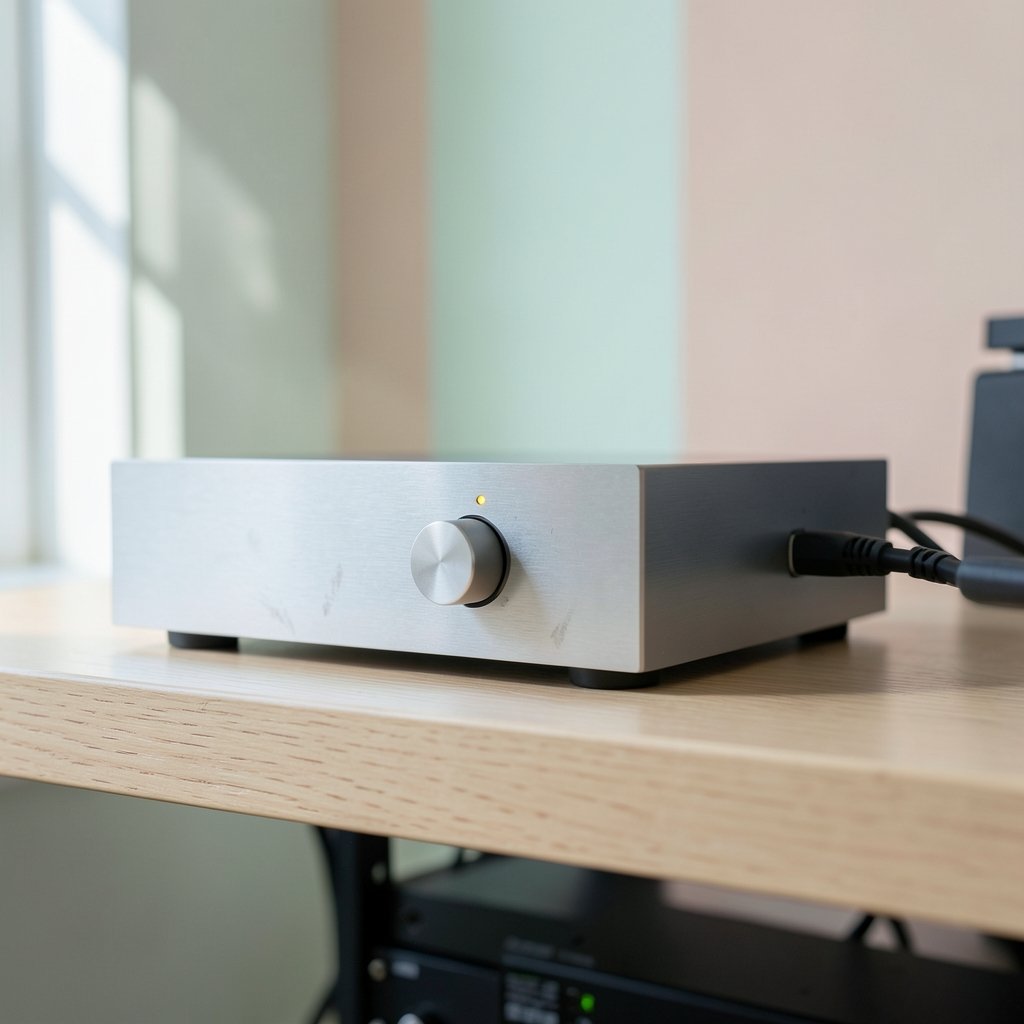
A hardware streamer (also called a network player or transport) is a physical device. It connects to a network, logs into streaming services, and outputs audio to a DAC, amplifier, or powered speakers. Examples range from small budget boxes to high-end units costing as much as a car.
A streaming service is software: Spotify, Tidal, Qobuz, Apple Music, Amazon Music. These are subscriptions, not gear.
Most people searching for the “best music streamer” want the hardware. But the service matters just as much, because a fantastic streamer can’t fix a low-bitrate source. Get the software side sorted first, then buy hardware that supports it properly.
Lossless Is Now Table Stakes, Not a Luxury

A few years ago, lossless streaming was a niche add-on. Not anymore.
Apple Music added lossless audio in May 2021 at no extra cost. Amazon Music HD launched in 2019 and was folded into Amazon Music Unlimited in 2021. Spotify finally shipped its lossless tier in 2025 after years of announcements, though the exact rollout details are worth checking before subscribing.
This changes the buying calculus. A streamer that only handles compressed audio is now a bottleneck. Look for:
- Support for FLAC and ALAC at minimum, since these are the lossless formats the major services use
- Hi-res capability up to 24-bit/192kHz if the listener wants headroom
- Native app support for the specific services being used, rather than workarounds
That last point matters more than spec sheets suggest. Some streamers integrate Tidal and Qobuz natively but require casting or Bluetooth for others. Casting works, but it can cap quality and adds a layer of complexity.
What “Hi-Res” Actually Means
There’s a formal definition here, which helps cut through marketing noise. The industry definition of hi-res music describes lossless audio that can reproduce frequencies above 20 kHz and exceeds 16-bit/44.1kHz resolution. That’s the baseline. Anything below it is standard CD quality, which still sounds excellent but isn’t hi-res.
A streamer that claims “hi-res support” but downsamples everything internally isn’t really hi-res. That’s why the next point is the one that separates good streamers from great ones.
Bit-Perfect Output and Gapless Playback: The Two Features That Matter Most
These two get buried in spec sheets, but they’re the difference between a streamer that respects the source and one that quietly mangles it.
Bit-perfect output means the digital stream reaches the DAC unaltered, with no resampling, no volume manipulation, and no processing in between. Many streamers resample by default, sometimes to a fixed internal rate, which defeats the purpose of paying for hi-res. Good streamers either pass audio through untouched or offer an explicit bit-perfect mode.
Gapless playback means no silent gap between tracks on a live album or a DJ mix. Sounds trivial until it isn’t there. Plenty of budget streamers still fail this, and once you notice it, you can’t un-notice it.
In practice, check for both before buying. Reviews often mention gapless behavior; bit-perfect mode is usually documented in the manual or settings menu.
Budget, Mid-Range, and High-End: What Changes as You Spend More
The streamer market splits into rough tiers. Specific models and prices shift constantly, so treat this as a framework rather than a shopping list.
| Tier | Typical Price Range | What You Get | Who It Suits |
|---|---|---|---|
| Entry | Under $200 | Basic network streaming, decent DAC, AirPlay or Chromecast, some service gaps | First-time streamers, secondary systems |
| Mid-range | $200 to $800 | Better DAC and clock, native Tidal/Qobuz, bit-perfect mode, solid app | Most serious listeners |
| High-end | $1,000 and up | Premium DAC implementation, isolation, Roon readiness, meticulous build | Dedicated two-channel systems |
The jump from entry to mid-range is usually audible. The jump from mid-range to high-end often has more to do with build, features, and how the pieces match than with raw sound. Diminishing returns hit hard, and anyone who claims otherwise is selling something.
Where the Money Actually Goes
Inside a streamer, sound quality comes mostly from the DAC chip, the clock, and the power supply. The “smart” features, the screen, the app polish, matter for usability but not for fidelity. (The row)
That’s an engineering consensus in audiophile circles, though it’s genuinely contested territory. Some listeners hear meaningful differences between streamers with identical DACs; others hear none. Both camps have honest ears. The practical takeaway: audition when possible, and don’t assume a higher price guarantees a better result in a specific system.
The Software Layer: Apps, Protocols, and Roon
Hardware gets the attention, but software determines daily happiness.
AirPlay 2 (introduced in 2017 with iOS 11) and Chromecast built-in (dating to 2013) are the two most common casting protocols. Both are convenient and widely supported. AirPlay 2 handles multi-room well; Chromecast is more platform-agnostic.
UPnP/DLNA is the open standard for network audio. It’s widely supported but implementations vary wildly in reliability. A streamer with a shaky UPnP stack will frustrate anyone with a local music library.
Roon is the software layer many enthusiasts swear by. It’s subscription-based, integrates Tidal and Qobuz, and offers a rich browsing experience across local and streamed libraries. Pricing and whether lifetime licenses remain available are worth verifying, since the company’s model has shifted over time.
The practical advice: decide which app you’ll actually live in before buying hardware. If a streamer’s native app is clunky, you’ll end up casting from your phone anyway, which partly defeats the purpose.
MQA’s Unclear Future
For years, MQA was a selling point on streamers and in Tidal’s catalog. That’s changed.
MQA Ltd entered administration in April 2023. The technology was acquired by Lenbrook later that year, and Tidal began phasing out MQA in favor of FLAC in 2023 and 2024. Whether MQA remains relevant in 2026 is genuinely uncertain, and product support varies.
The sensible position: don’t buy a streamer for MQA decoding alone. If it’s included, fine. If it isn’t, you’re unlikely to miss it, since FLAC delivers the same or better quality without the licensing baggage.
Practical Tips and Common Mistakes
Mistake one: ignoring the network. A streamer is only as stable as the Wi-Fi feeding it. Ethernet is better where possible; a mesh node near the rack helps when it isn’t. Dropouts blamed on streamers are frequently router problems.
Mistake two: double volume control. Running the streamer at full volume into an amp is correct. Running both at half volume invites noise and confusion.
Mistake three: skipping the DAC question. If the amplifier has a good DAC, a streamer with digital outputs may be all that’s needed. Paying twice for DACs is common and unnecessary.
Mistake four: buying for features never used. Multi-room, voice control, and HDMI ARC are great if they’ll be used. Otherwise they’re cost without benefit.
Mistake five: forgetting the library. Anyone with a large local collection of ripped CDs or downloads should confirm the streamer handles local files well and does not rely on cloud services alone. This is where UPnP reliability and library indexing quality show up.
A useful habit: write down the three things the system must do, then buy the cheapest streamer that does all three well. That single rule prevents most regret.
Does the Streamer Really Change the Sound?
Honest answer: less than speakers, less than the room, and usually less than the DAC. More than most people expect, though, especially when moving from a phone or TV app to a dedicated transport with clean output.
The variables that genuinely shift perception are jitter, clock quality, output stage design, and whether the streamer is resampling. Measured performance and listening preference don’t always align, and no objective ranking of “best” exists. Reviews help, measurements help, and a home audition helps most of all. (2b hair)
For readers deep in the hobby, the same principle applies as in beauty communities comparing hair types: broad categories guide expectations, but individual variation decides the outcome. Two listeners with the same streamer and different rooms will hear different things. And just as a styling routine matters more than the label on the bottle, system matching matters more than the badge on the box. Even discussions about product lines show how much context shapes a verdict. Audio works the same way. (4c hair)
How to Choose in Five Steps
- Pick the service first. Confirm the streamer supports it natively, at full quality.
- Set a hard budget. Include cables and any subscription costs.
- Check the required features. Bit-perfect mode, gapless playback, and the outputs needed.
- Read for reliability, not hype. Look for reports on app stability and firmware updates.
- Audition or buy with a return window. Room acoustics and system matching decide the rest.
Conclusion
The best music streamer isn’t the most expensive one or the one with the longest feature list. It’s the one that supports the chosen service natively, passes audio through bit-perfectly, plays gaplessly, and fits the rest of the system without demanding upgrades elsewhere.
Start with the software, confirm the essentials, spend where the DAC and clock live, and ignore the marketing around formats with uncertain futures. Do that, and the streamer becomes what it should be: an invisible, reliable gateway to the music, not another thing to fuss over.
Frequently Asked Questions
What is the difference between a music streamer and a streaming service?
A music streamer is a hardware device that connects to a network and sends audio to a DAC or amplifier. A streaming service is a subscription like Spotify, Tidal, or Qobuz that provides the music. You need both, and the streamer must support your chosen service well.
Do I need a separate DAC if I buy a streamer?
Not always. Many streamers include a capable built-in DAC. If your amplifier already has a good DAC, a streamer with digital outputs may be the smarter buy. Paying for two DACs in one system is a common and avoidable expense.
Is lossless streaming worth it?
For most listeners with decent gear, yes. Lossless formats like FLAC and ALAC preserve more data than compressed streams, and the major services now offer lossless at little or no extra cost. On basic speakers or earbuds the difference may be subtle, but on a resolving system it’s often noticeable.
What does bit-perfect mean on a streamer?
Bit-perfect means the digital audio reaches the DAC exactly as it left the source, with no resampling or processing. Many streamers resample by default, which can undermine hi-res playback. A bit-perfect mode ensures the signal stays untouched.
Does MQA still matter in 2026?
Less than it used to. MQA Ltd entered administration in 2023, the technology was acquired by Lenbrook, and Tidal moved toward FLAC. Support across products is inconsistent, so it’s unwise to choose a streamer based on MQA decoding alone.
How much should I spend on a music streamer?
Most listeners get excellent results in the mid-range, roughly $200 to $800, where native service support, bit-perfect output, and solid build quality converge. Spending more brings better components and features, but returns diminish quickly compared with what speakers and room treatment deliver.