


What do you picture when someone says “embroidery library”? A hushed museum room full of fragile silk? Or a folder on a laptop stuffed with thousands of downloadable stitch files? Both answers are right, and that split is exactly why the phrase confuses so many people. A quilter hunting for a monogram file and a textile historian researching 18th-century samplers are both looking for an embroidery library, but they need completely different things. This guide untangles the two meanings, explains how digital design collections actually work, and shows how to build or choose one that serves your purposes instead of wasting your time.
Two Very Different Things Share One Name
In everyday hobby and machine-embroidery circles, an embroidery library is a collection of digital design files that you download and stitch on a home embroidery machine. These files carry proprietary extensions such as .PES, .DST, .JEF, .EXP and .VP3, and each one is tied to a particular brand or machine family. Most libraries supply several formats at once because a file only works if it matches your machine.
In the heritage world, the same phrase means a curated collection of physical embroidered textiles, or the documentation of embroidery traditions held by museums and archives. The Victoria and Albert Museum in London and the Textile Museum in Washington, D.C. both maintain substantial textile holdings, and their searchable catalogs are standard references for dating and provenance.
Neither meaning is wrong. The trouble starts when someone searches for “free embroidery library” expecting historical patterns and lands on a commercial download shop, or the reverse. Knowing which sense you need saves an afternoon of frustration.
How Digital Design Libraries Are Organized
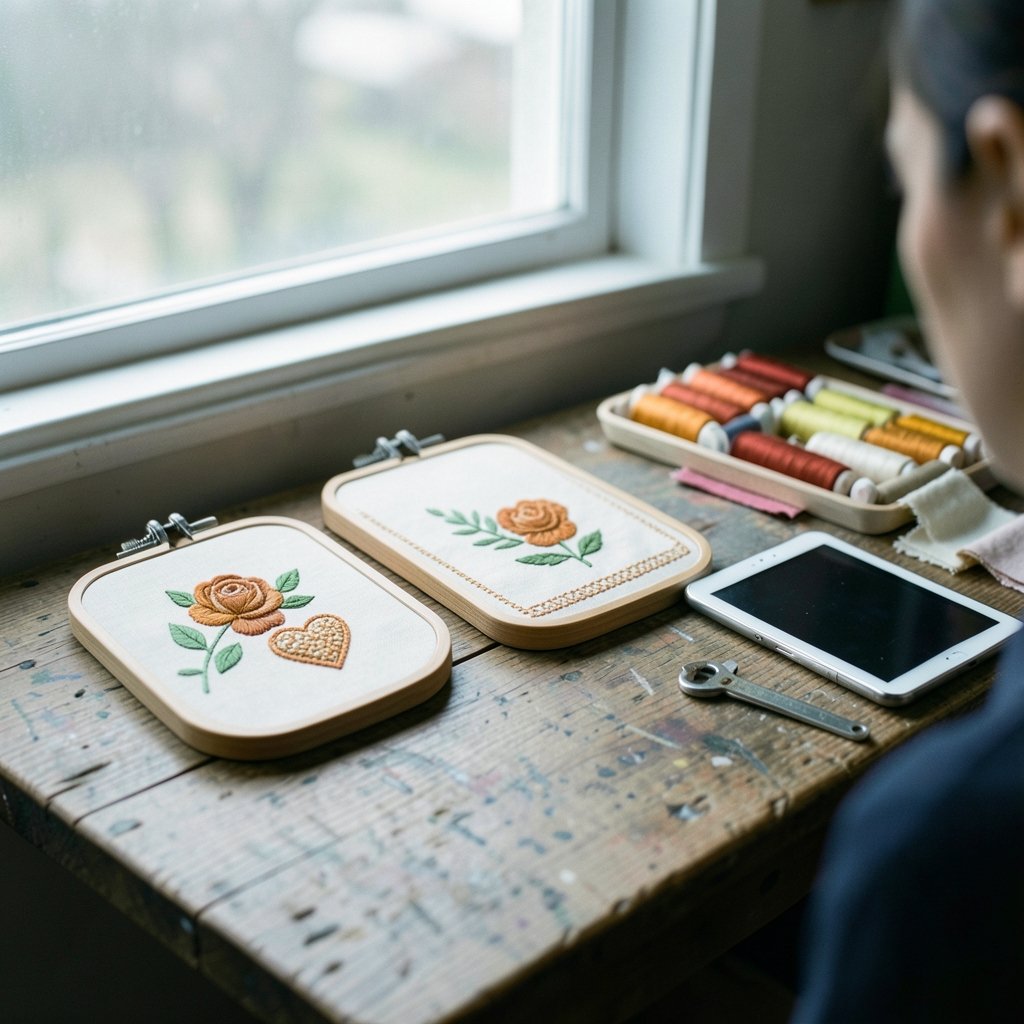
A well-run digital library is an organized collection, not a simple pile of files. The good ones organize designs by category (florals, fonts, appliqué, seasonal motifs), by stitch type, and by hoop size. That last filter matters more than beginners expect. A design sized for a 5×7 hoop simply will not fit a 4×4 machine, no matter how carefully you rehoist the fabric.
Formats and Compatibility
| Format | Typical Machine Family | Notes |
|---|---|---|
| .PES | Brother | Common in consumer libraries |
| .DST | Tajima | Widely used in commercial embroidery |
| .JEF | Janome | Janome-specific |
| .EXP | Bernina and Melco | Older but still common |
| .VP3 | Husqvarna Viking | Viking-specific |
A library that offers only one format is a red flag for anyone with a machine from a different brand. Reputable collections bundle multiple formats in a single download so you can grab the one your machine reads.
Why Digitizing Quality Beats Artwork Quality
Here is the point most shoppers miss: the artwork is the easy part. Digitizing is the process of converting that artwork into actual stitch instructions, including stitch types, underlay, density and color changes. Two libraries can sell the identical flower illustration and produce wildly different results on fabric. One stitches cleanly with no puckering; the other pulls the fabric, breaks threads, and leaves gaps at the edges.
Underlay, in particular, is the invisible workhorse. It is the foundation stitching laid down before the visible design, and it stabilizes the fabric so the top stitching sits smoothly. Cheap libraries often skip or thin the underlay to save digitizing time. The result looks fine on screen and terrible on a shirt.
Practical Tips That Actually Work
First-hand experience in embroidery circles keeps returning to a handful of habits that separate smooth projects from disasters.
Stitch a test sample first. Never put a new design straight onto the good garment. Run it on a scrap of similar fabric with the same stabilizer. Ten minutes of testing beats unpicking a ruined sweatshirt.
Match stabilizer to fabric, not to the design. A dense design on stretchy knit needs cut-away stabilizer. The same design on woven cotton may be fine with tear-away. The design file does not change; your backing does.
Check the stitch count before you commit. A design with 40,000 stitches takes far longer and stresses the fabric more than one with 8,000. Libraries usually list stitch counts, and ignoring them is a common beginner mistake.
Watch the density on small lettering. Tiny text is where digitizing flaws show up first. Letters under about a quarter inch tall often blur together unless the digitizer has adjusted density and pull compensation carefully.
Keep a personal index. Once you have more than a few dozen files, you will forget what you own. A simple spreadsheet with design name, hoop size, stitch count and source turns a chaotic folder into a working library.
Building Your Own Library Without Chaos
Most embroiderers end up with a personal embroidery library whether they plan one or not. Freebies from newsletters, purchases from sales, and files shared by friends accumulate fast. A little structure early prevents years of duplicate downloads and lost files.
Start with a folder hierarchy that matches how you actually search. Some people sort by motif (animals, borders, alphabets), others by project type (baby items, home decor, gifts). Either works; mixing both does not. Rename files with the design name and hoop size included, because “design_0047.pes” tells you nothing six months later.
Back up the whole library somewhere separate from your main machine. Hard drives fail, and re-downloading a decade of purchases is rarely possible when a shop has closed. A cloud folder or external drive costs little and saves real grief.
If your taste runs to textured, coily stitches, browsing collections tagged for 4c hair can reveal how digitizers handle dense, high-relief motifs, which behave very differently from flat satin-stitch florals. Similarly, anyone digitizing fine, wavy textures may find inspiration in designs built around 2b hair, where direction and flow matter more than coverage. And if your interests lean toward knitwear and row-by-row construction, the discussions around the row offer a useful reminder that stitch direction shapes the final look as much as the pattern does.
Licensing: The Part Everyone Skips
Digital designs are almost always sold under licences that restrict what you can do with them. The typical personal-use licence allows you to stitch the design onto items for yourself or as gifts, but not to sell the finished items. Commercial licences, where offered, usually cost more and may cap the number of items you can sell.
The legal status of stitching a purchased design onto goods for sale varies by licence terms and by jurisdiction, and there is no definitive court ruling specific to embroidery design files that settles the question. That makes reading the licence itself the only reliable guide. A few practical habits help:
- Save a copy of the licence terms with the design file when you buy it.
- Ask the seller directly if commercial use is unclear, and keep the reply.
- Treat “free” designs as licensed too; free does not mean unrestricted.
- Never resell or share the digital file itself, only stitched output where permitted.
Copyright fundamentals apply here just as they do to music or photographs, and the same principles of permission and fair use shape what a licence can and cannot allow.
Heritage Collections and Open-Access Images
For researchers, designers and history-minded stitchers, museum collections are the other kind of embroidery library. Major institutions hold embroidered objects spanning centuries, and their online databases let you search by object type, date and place of origin. These records are valuable for dating a family heirloom, identifying a regional style, or studying how a motif traveled between cultures.
Open-access programs at museums have expanded what is reusable. Increasing numbers of institutions publish photographs of historical textiles under terms that permit reuse, which matters enormously for anyone assembling a digital reference library. Before republishing any image, check the specific terms attached to that object, because open access rarely covers an entire collection uniformly.
Heritage libraries document technique along with appearance. Records often note fiber, thread, stitch structure and condition, details that a photograph alone cannot convey. For a modern digitizer trying to reproduce a historical look, those notes are gold.
Choosing a Commercial Library: What to Check
When evaluating a paid design collection, a short checklist separates solid libraries from disappointing ones.
- Confirm the formats offered include yours.
- Look for stitch counts and finished dimensions on every listing.
- Check whether a stitch-out photo exists in addition to any digital mockup.
- Read the licence before purchase, especially for commercial plans.
- See whether the shop offers updates or re-downloads if files are revised.
- Search for independent reviews that mention stitch quality as well as design variety.
A library with 500 well-digitized designs beats one with 50,000 rushed files every time. Variety is seductive, but you only ever stitch one design at a time, and a single puckered result costs more in fabric and patience than a slightly higher price per file.
Common Mistakes Worth Avoiding
The most frequent error is buying on volume. Newcomers grab massive discount bundles, then discover half the designs are unusable on their hoop or badly digitized. Another is ignoring format until after purchase; a .JEF-only file is useless on a Brother machine. A third is treating free designs as disposable, deleting the licence text along with the download, then wanting to sell a finished item later with no record of the terms.
Finally, many people never test-stitch. It feels like wasted time when the design looks perfect on screen. It is not wasted. It is the single cheapest quality check available.
Conclusion
An embroidery library means two things, and both reward a bit of care. As a digital collection, it works best when you match formats to your machine, prioritize digitizing quality over catalog size, test before you stitch, and keep your licence records tidy. As a heritage collection, it opens a window into centuries of technique and design, especially now that more museums publish reusable images and detailed object records. Whichever kind you are building or browsing, the same principle applies: a library is only as useful as its organization and the honesty of its documentation. Start small, sort deliberately, and let the collection grow around the projects you actually make.
Frequently Asked Questions
What file format do most embroidery libraries provide?
Most supply several formats in one download, typically .PES, .DST, .JEF, .EXP and .VP3. The right one depends on your machine brand, so check compatibility before buying. A library offering only a single format will not suit everyone.
Are free embroidery designs really free to use?
Free refers to the price, not the rights. Most free designs still carry a licence limiting use to personal projects and barring resale of stitched items. Always read the terms that come with the download and keep a copy.
Can I sell items I stitched from a purchased design?
Only if the licence permits it. Many designs are personal-use only, while others offer commercial licences for an extra fee. Because there is no definitive court ruling specific to embroidery files, the licence text and your jurisdiction’s copyright rules are the practical guide.
What is digitizing, and why does it matter?
Digitizing converts artwork into stitch instructions, covering stitch types, underlay, density and color changes. It matters because two libraries can sell the same illustration and produce very different stitching quality. Good digitizing prevents puckering and thread breaks.
How do I organize a large personal embroidery library?
Sort by how you search, either by motif or by project type, and avoid mixing systems. Rename files to include the design name and hoop size, log stitch counts in a spreadsheet, and back everything up somewhere separate from your machine.
Are museum textile collections open to the public online?
Many major institutions, including the Victoria and Albert Museum and the Textile Museum, offer searchable online catalogs of their holdings. Some also publish images under open-access terms, but reuse permissions vary by object, so check each record individually before republishing anything.









