

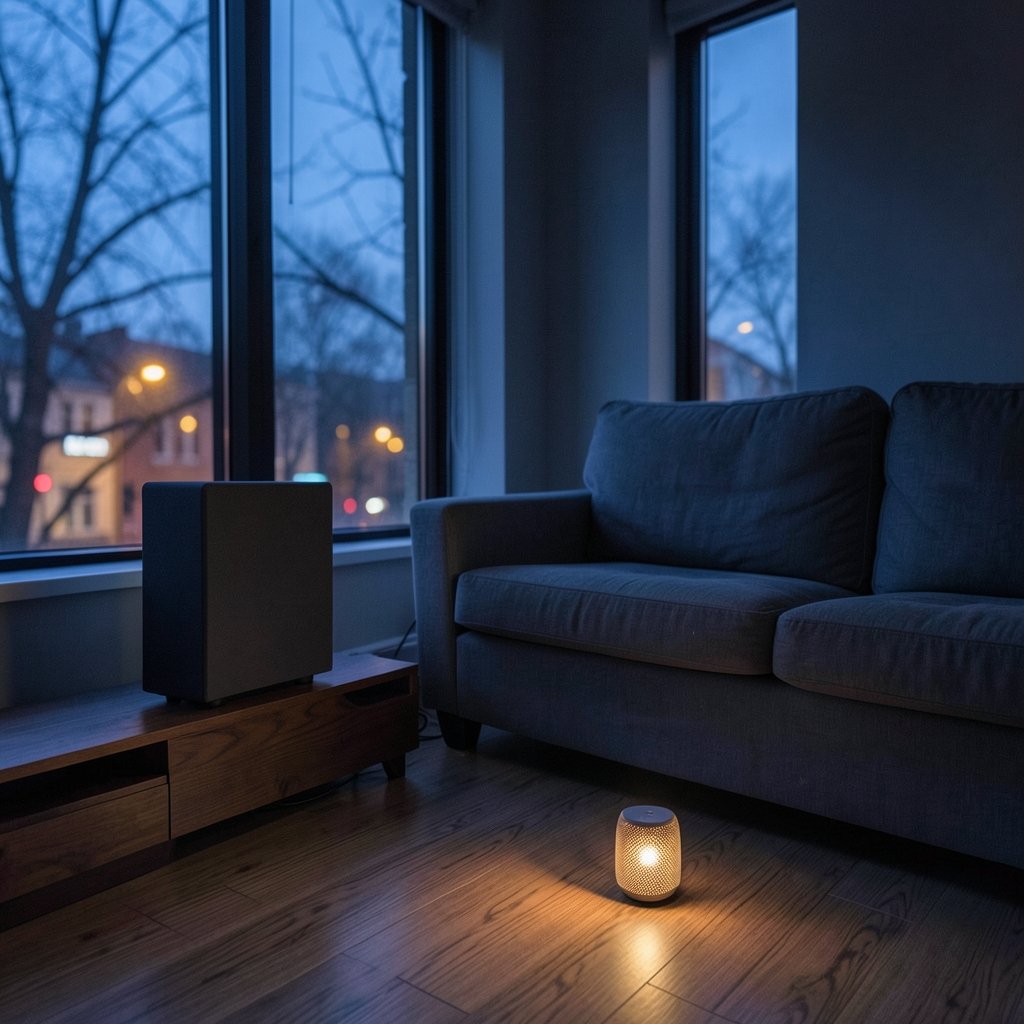
What if the weakest link in your home’s sound isn’t the speaker itself, but the wireless technology running behind it? That’s the question most buyers skip, and it’s the one that decides whether your new speaker fills a room beautifully for years or frustrates you every time you try to play something. The best wireless speakers for home aren’t simply the loudest or the prettiest. They’re the ones whose connection method, codec support, and multi-room behavior match how you actually listen.
This guide walks through the real decision points: Bluetooth versus Wi-Fi, codecs, placement, voice assistants, and the mistakes that cost people money. No spec-sheet worship, just what matters in practice.
Start With the Connection, Not the Brand
The single biggest fork in the road is Bluetooth versus Wi-Fi. Bluetooth speakers pair directly to one device. They’re simple, portable, and often battery-powered, but they generally don’t sync across multiple rooms, and the phone or laptop stays tethered as the source. Wi-Fi speakers stream over your home network, which unlocks multi-room grouping, higher-quality streaming, and control from any device on the network.
Neither is “better” in the abstract. A Bluetooth speaker on the kitchen counter is perfect for podcasts while cooking. A Wi-Fi system makes sense when you want music flowing through the living room, hallway, and patio at once, controlled from your phone without carrying it around.
| Factor | Bluetooth speakers | Wi-Fi speakers |
|---|---|---|
| Setup | Pair and play in seconds | App-based network setup |
| Multi-room audio | Rarely supported | Core feature |
| Source device | Must stay in range | Network-based, device-free playback |
| Best for | Portability, single rooms | Whole-home audio, streaming services |
| Typical latency | Low to moderate | Low, but varies by protocol |
A practical middle path: many modern speakers support both. You use Bluetooth for a quick backyard session and Wi-Fi for everyday listening. If you’re building out a room that doubles as a workout space, it’s worth pairing your audio plan with the layout advice in this guide to a luxury home gym so the speakers land where the acoustics and the traffic flow both work.
Multi-Room Standards: AirPlay 2, Google Cast, and Sonos

If whole-home audio is the goal, the ecosystem matters more than any single speaker. Three approaches dominate.
AirPlay 2 lets compatible speakers be grouped for multi-room playback and controlled through Siri and Control Center on Apple devices. It arrived with iOS 11 in 2017 and has become the default choice for households deep in the Apple ecosystem.
Google Cast, often marketed as Chromecast built-in, lets you cast audio from apps to speakers and group devices into speaker groups inside the Google Home app. The Cast protocol dates back to the early 2010s, though branding and app names have shifted repeatedly since. Buyers should confirm current naming and support before committing.
Sonos popularized Wi-Fi multi-room audio, with the company founded in 2002 and its first products arriving in the mid-2000s. Sonos systems are praised for reliable grouping, but the company’s 2024 app redesign caused significant user frustration. Check current app reviews before buying into the ecosystem.
Matter and Thread, the smart-home standards, are relevant but limited here. Matter 1.0 was published in October 2022 by the Connectivity Standards Alliance, yet audio-specific Matter support for speakers remains thin and evolving. Don’t assume a speaker works with Matter just because it’s “smart.”
Codecs and Bluetooth Versions: What Actually Changes the Sound
Codec support is where marketing gets loud and real-world differences get subtle. The common Bluetooth codecs are SBC (mandatory on every device), AAC (favored by Apple), aptX (Qualcomm), and LDAC (Sony, added to Android with version 8.0 in 2017). Higher-bitrate codecs can improve fidelity, but only if both your source device and the speaker support the same one. A premium codec on one end and SBC on the other gets you SBC.
Bluetooth versions matter less than people think. Bluetooth 5.0 arrived in 2016, followed by 5.1 in 2019, 5.2 in 2020, 5.3 in 2021, and 5.4 in 2023. Each generation generally improves range and power efficiency, but real-world range depends on walls, interference, and antenna design, not the version number alone.
On the Wi-Fi side, Wi-Fi 6 was certified in 2019, Wi-Fi 6E followed in 2020–2021, and Wi-Fi 7 was certified in January 2024. Most speakers still run Wi-Fi 5 or older, so don’t assume a new speaker has the latest standard. For streaming stability, a strong router and a sensible placement usually beat a newer Wi-Fi label.
Placement Beats Specs Every Time
Here’s the uncomfortable truth: where you put a speaker changes what you hear more than most spec-sheet upgrades. Distance from walls shapes perceived bass. A speaker jammed into a corner will boom; the same speaker pulled a foot away from the wall will sound cleaner. Stereo pairs need symmetry, with both speakers equidistant from the listening spot and angled inward.
Practical tips that hold up:
- Keep speakers off the floor unless they’re designed for it. Bookshelves and stands reduce vibration and tighten bass.
- Leave a few inches behind rear-ported speakers so air can move.
- Pair identical models for stereo. Mixing brands rarely images well.
- Avoid placing a Wi-Fi speaker inside a metal cabinet or behind a large appliance, which can choke the signal.
These are general acoustic principles rather than hard rules, but they solve more problems than swapping cables or chasing codecs.
Matching the System to the Room and the Lifestyle
A speaker that suits a studio apartment rarely suits an open-plan kitchen with vaulted ceilings. Think about the room first.
For a compact living space, a single well-placed Wi-Fi speaker with room-filling output often beats a pair of small Bluetooth units. For a large open area, stereo pairing or a soundbar-style unit with a subwoofer makes more sense. Outdoors, weather resistance and battery life jump to the top of the list.
If you’re planning a bigger project, such as converting a garage or adding a dedicated listening room, treat audio as part of the home expansion plan rather than an afterthought. Wiring, outlet placement, and furniture layout all affect where speakers can live. Budgeting for audio alongside the build also keeps the home renovation budget realistic instead of forcing a compromise at the end.
For apartments and rentals, favor speakers that don’t require drilling or permanent mounts. A Wi-Fi speaker on a shelf, grouped with a second unit in the bedroom, delivers multi-room sound without touching a wall.
Voice Assistants: Convenient, but Check the Fine Print
Voice control is genuinely useful for a speaker on a kitchen counter. Say the word and the music starts while your hands are covered in flour. But assistant support is a moving target. Amazon Alexa, Google Assistant, and Apple Siri integration varies by model, and Google has been restructuring Assistant amid a broader transition toward Gemini, announced through 2024 and 2025. Confirm current support on the manufacturer’s spec sheet before you buy, not after.
A simple rule: pick the assistant your household already uses daily. Mixing ecosystems creates friction, and friction is what makes people stop using a speaker altogether.
Common Mistakes That Cost Real Money
Buying the best wireless speakers for home is as much about avoiding errors as picking winners. These come up again and again.
Buying for the spec sheet, not the room. A speaker rated for a huge space will overwhelm a small bedroom. Match output to the room, not to the marketing.
Ignoring the ecosystem. A great speaker that doesn’t group with the rest of your setup becomes an island. Decide on AirPlay 2, Google Cast, or Sonos before you buy the second speaker.
Assuming Bluetooth handles multi-room. It usually doesn’t. If whole-home audio is the goal, Wi-Fi is the requirement, not a nice-to-have.
Skipping the return window test. Set the speaker up in your actual room within the return period. Acoustics at home differ wildly from a showroom.
Forgetting the source. A premium speaker fed low-quality streams won’t sound premium. Check your streaming service’s audio quality settings.
Overlooking firmware and app quality. A speaker is only as good as its app. Read recent reviews about app stability, not just launch-day coverage.
Getting More From What You Own
You don’t need to replace a speaker to improve the experience. Firmware updates often add features and fix connectivity bugs, so enable automatic updates. If your speaker supports stereo pairing, use it; two units in stereo usually beat one larger unit for music. And if you’re building a listening or workout space, the same placement logic applies to screens and equipment, as covered in this guide on finding YouTube home workouts that actually fit your life.
Small environmental touches matter too. Soft furnishings absorb reflections, so a room with rugs, curtains, and a sofa will sound warmer than a bare one. That’s a cheaper upgrade than any new speaker. Some households even coordinate ambience with luxury home scents to make a listening session feel like an occasion, though that’s firmly in the nice-to-have column.
How to Test a Speaker Before You Commit
You can’t judge a speaker in thirty seconds in a store. Here’s a practical routine for the return window.
- Play a familiar track with clear vocals and deep bass. You’re listening for muddiness, not volume.
- Walk around the room. Does the sound hold up at the edges, or collapse when you move?
- Test the app. Set up a group, adjust EQ, and check for lag or dropouts.
- Try your actual source. Stream from the app you use daily, not a demo track.
- Check standby behavior. Does the speaker wake reliably, or does it need a manual nudge?
- Test at low volume. Many speakers sound fine loud and thin quiet; you’ll listen quietly more often than you think.
If a speaker fails steps three or five, return it. Connectivity quirks rarely improve with time.
Conclusion
The best wireless speakers for home are the ones that fit your rooms, your streaming habits, and your household’s ecosystem, not the ones with the longest feature list. Start with the connection: Bluetooth for portability and simplicity, Wi-Fi for multi-room and device-free playback. Then match the ecosystem, check codec and assistant support on the actual spec sheet, and spend your effort on placement, which shapes sound more than most upgrades ever will. Buy within a return window, test in your own space, and let your ears, not the box, make the final call. Get those basics right and almost any well-chosen speaker will reward you for years.
Frequently Asked Questions
Are Wi-Fi speakers better than Bluetooth speakers for home use?
For whole-home listening, yes. Wi-Fi speakers support multi-room grouping, stream without a tethered phone, and generally handle higher-quality audio. Bluetooth wins on portability and simplicity. Many buyers end up with both: a Wi-Fi system for daily listening and a Bluetooth speaker for the garden or travel.
Do I need a specific ecosystem like AirPlay 2 or Google Cast?
Only if you plan to group multiple speakers or control playback by voice. AirPlay 2 suits Apple households, Google Cast suits Android and Google users, and Sonos offers its own reliable multi-room system. Pick the one your household already uses to avoid friction.
Does a higher Bluetooth version mean better sound?
Not directly. Bluetooth 5.x versions mainly improve range and power efficiency. Sound quality depends more on codec support (SBC, AAC, aptX, LDAC) on both the source and the speaker, plus the speaker’s drivers and tuning. A newer version with a basic codec won’t automatically sound better.
How much does speaker placement really matter?
More than most spec differences. Distance from walls changes perceived bass, stereo pairing affects imaging, and solid surfaces create reflections. Pulling a speaker away from a corner and pairing identical models usually delivers a bigger improvement than upgrading to a pricier unit.
Can I mix speaker brands in one multi-room system?
Sometimes, but it’s risky. AirPlay 2 and Google Cast support varies by model, and features like grouping and EQ may not work across brands. Sticking to one ecosystem, or at least confirming cross-brand compatibility before purchase, saves a lot of frustration.
Should I worry about Matter support when buying a speaker?
Not yet. Matter 1.0 was published in October 2022, but audio-specific support for speakers remains limited and evolving. Treat Matter as a bonus rather than a buying requirement, and verify per model if interoperability with other smart-home devices matters to you.














