You finish a long day at your desk and your back aches, your shoulders are tight, and you realise you have barely moved since breakfast. You have heard that standing desks help, but replacing your whole desk feels like a big step, and a big expense, for something you are not sure you will like.
So what is a riser desk? It is a platform that sits on top of your existing desk and lifts your monitor and keyboard to standing height, so you can switch between sitting and standing without buying a new desk. This guide explains how a riser desk works, the types available, the benefits, how to set one up properly, and whether it is worth the money.
Key takeaways:
- A riser desk, also called a desk converter, is a platform that sits on your existing desk and lifts your screen and keyboard to standing height.
- It lets you switch between sitting and standing through the day, which is the point: standing all day is no better than sitting all day.
- Electric risers adjust at the touch of a button, while manual risers use a lever or gas spring and cost less.
- Good ergonomics matter more than the desk itself: the screen at eye level, elbows at roughly a right angle, and feet flat on the floor.
What is a riser desk?
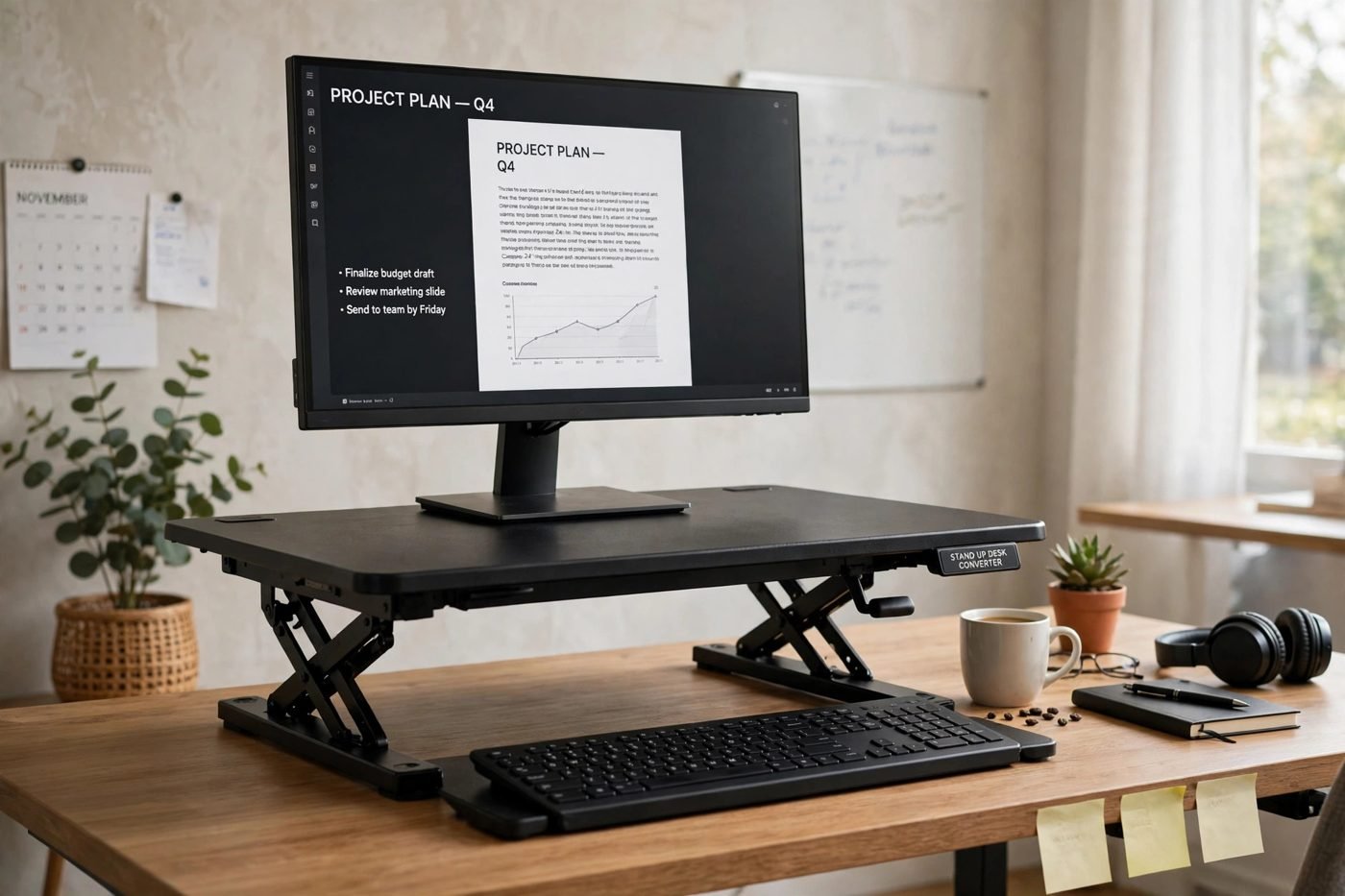
A riser desk is a raised platform that sits on top of an ordinary desk and holds your monitor, keyboard and mouse at a height you can use while standing. It is also known as a desk converter or a sit-stand converter, and its job is simple: to turn a desk you already own into a desk you can use standing up. Most risers have two levels: the upper level holds the monitor, and the lower level, which usually sits a little in front, holds the keyboard and mouse. When you want to sit down, you lower the whole platform back to desk height, and your setup returns to a normal sitting desk.
How does a riser desk work?

A riser desk works by lifting your whole workstation in one movement, so the screen and the keyboard stay in the same relationship to each other as they rise. That matters, because if only the screen went up, you would be reaching up to type, and your shoulders would ache within minutes.
The lifting mechanism is what separates the types. Manual risers use a lever or a handle that releases a gas spring, and you lift the platform with your hands, guiding it to the height you want. Electric risers use a small motor and a button, and the platform glides up and down on its own, often with memory settings that return it to your favourite heights.
Either way, the movement should take a few seconds and need no real effort. If you have to heave the platform up or wrestle it down, the mechanism is underpowered for the weight on it or badly made, and you will stop using it.
What types of riser desk are there?
There are three main types of riser desk: a desktop converter, a full standing desk, and a monitor arm with a keyboard tray. A desktop converter is the most common: a platform that sits on your desk and lifts your monitor and keyboard. A full standing desk is a complete desk with legs that rise and fall, which costs more but gives you the whole desktop at standing height.
Within desktop converters, the split is between manual and electric. Manual converters are cheaper, lighter and need no power, but you adjust them by hand. Electric converters cost more and need a socket, but they adjust smoothly at the touch of a button and usually remember your heights.
| Type | How it adjusts | Typical cost | Best for |
|---|---|---|---|
| Manual desktop converter | Lever or handle with a gas spring | Roughly £100 to £250 | Occasional standing, tight budgets |
| Electric desktop converter | Motor and buttons, often with memory | Roughly £200 to £500 | Switching position several times a day |
| Full standing desk | Electric legs lift the whole desktop | Roughly £300 to £800 or more | A permanent sit-stand setup |
| Monitor arm and keyboard tray | Arms swing and slide by hand | Roughly £80 to £200 | Single screens, small desks |
What are the benefits of a riser desk?
The main benefit of a riser desk is movement. Sitting for eight hours without a break is linked to back pain, stiff hips and low energy, and standing for eight hours is no better, bringing its own aches in the feet, knees and lower back. The healthy pattern is to change position regularly, and a riser desk makes that easy.
Many people find that standing for part of the day eases the ache between their shoulder blades and the stiffness in their hips, and that they feel more alert in the afternoon, when sitting tends to make them drowsy. That said, a riser desk is not a fitness device: standing burns only a few more calories than sitting, and it will not replace exercise.
There is also a practical benefit that rarely gets mentioned. A riser desk is a low-commitment way to find out whether you like working standing up. If you love it, you can invest in a full standing desk later, and if you do not, you have spent a fraction of the money and still have your old desk underneath. Our guide to how to improve your posture covers the habits that matter just as much as the desk itself.
How do you set up a riser desk ergonomically?
A riser desk only helps if it is set up properly, and the setup is the same whether you are sitting or standing. The screen should be at eye level, so you are looking straight ahead rather than down at it, with the top of the screen roughly level with your eyes. If you use a laptop, you will almost certainly need a separate keyboard and mouse, because a laptop on a riser puts the screen too low and the keyboard too high at the same time.
Your elbows should be bent at roughly a right angle when your hands rest on the keyboard, with your forearms level and your shoulders relaxed. Your feet should be flat on the floor when sitting and when standing, with your weight spread evenly rather than leaning on one leg. A small footrest or a standing mat can make a real difference to comfort over a long day.
The rhythm matters as much as the setup. A good pattern is to stand for twenty to thirty minutes, then sit for an hour, and repeat, starting with short standing periods and building up over a couple of weeks. If anything hurts, sit down: pain is a sign to change position, not to push through it.
How much should you spend on a riser desk?
How much you should spend depends on how often you will use it. If you want to stand for an hour a day, a manual converter will do the job well. If you plan to switch position four or five times a day, an electric converter is worth the extra money, because the smooth, effortless movement is what makes you actually use it.
Whatever you spend, check three things before you buy. First, the weight capacity: add up the weight of your monitor, keyboard and anything else that will sit on the platform, and make sure the riser is rated for more. Second, the size: measure your desk and your monitor, and make sure the platform fits both. Third, the stability: read reviews that mention wobble, because a platform that shakes when you type will drive you mad within a week.
Who is a riser desk best for?
A riser desk suits anyone who works at a desk for most of the day and wants to move more without rebuilding their office. It is especially useful in a home office, where the desk is often a dining table or a spare-room table, and in shared offices, where you cannot swap the furniture.
It is less useful if your desk is very small, because the converter takes up space, or if you use a large monitor on a heavy stand, because the platform may not hold the weight. It is also not a substitute for medical advice: if you have a back condition, a circulation problem or any other health concern, talk to your doctor before changing how you work. For the wider picture, our guide to how to lower your resting heart rate covers another simple daily change that supports heart health.
Your riser desk checklist
Work through this list before you buy, and again when you set the riser up.
- Measure your desk: check the platform fits, with room for your keyboard and mouse.
- Check the weight limit: add up your monitor, keyboard and extras, and leave a margin.
- Choose manual or electric: electric for frequent switching, manual for occasional standing.
- Set the screen at eye level: top of the screen roughly level with your eyes, sitting and standing.
- Keep elbows at a right angle: forearms level, shoulders relaxed, feet flat on the floor.
- Start with short standing periods: twenty to thirty minutes, then sit, and build up over two weeks.
- Move regularly: change position often, and walk around at least once an hour.
Frequently asked questions
Is a riser desk worth it?
For most desk workers, yes, if you use it. A riser desk is much cheaper than a full standing desk, it turns a desk you already own into a sit-stand desk, and it makes it easy to change position through the day. It is only a waste of money if it is hard to move, because then it stays in one position and you never stand at all.
How long should you stand at a riser desk?
Start with twenty to thirty minutes at a time, a few times a day, and build up over a couple of weeks. A good pattern is to stand for part of each hour rather than standing for hours at a stretch. Standing all day is no better than sitting all day, so the aim is variety, not endurance.
Will a riser desk fix my back pain?
It may help, but it is not a cure. Changing position regularly eases the stiffness and aching that comes from sitting still, and many people find their back feels better. If your pain is persistent, severe or comes with numbness or weakness, see your doctor rather than relying on a desk change.
What is the difference between a riser desk and a standing desk?
A riser desk sits on top of your existing desk and lifts only your monitor and keyboard, while a standing desk is a complete desk whose whole surface rises and falls. A riser is cheaper and easier to try, while a standing desk gives you the full desktop at standing height and usually feels more stable.
Sources
Guidance in this article reflects widely published ergonomic advice, including the UK Health and Safety Executive’s guidance on display screen equipment, which recommends regular changes of posture rather than long periods in any one position. For related reading, our guide to how to improve your posture and our guide to how to build good habits cover the daily routines that support a healthier working day.
The bottom line
A riser desk is a simple answer to a real problem: it lets you stand up at a desk that was built for sitting, without replacing the desk. It will not fix your back on its own, and it will not make you fit. What it will do, if you set it up properly and use it every day, is break up eight hours of sitting into a day with more movement and less stiffness.
Your next step is simple: measure your desk, check the weight of your monitor, and choose a riser that moves easily.