An L-shaped desk is a desk with two work surfaces that meet at a right angle, forming the shape of the letter L. It is one of the most practical ways to fit a proper workspace into a corner.
So is an L-shaped desk right for you? If you work from home, study, or game for long stretches, the answer is usually yes, because the extra surface and the corner fit solve the two problems a straight desk cannot: not enough room, and nowhere to put it. This guide covers them all.
Key takeaways:
- An L-shaped desk uses a corner well and gives you two work surfaces instead of one.
- Measure the wall space and the door swing before you order anything.
- A reversible desk lets you put the long side on the left or the right.
- Set the screen at eye level and keep your feet flat on the floor.
- Plan cable routes early, or the tidy desk will not stay tidy for long.
What is an L-shaped desk?
An L-shaped desk is made from two desk sections joined at a corner, so you sit at one side and the other runs along the next wall. The short return often holds a second monitor or paperwork.
You may also see the phrase l-shaped l shaped desk in search results, which is simply the same desk described twice. It means nothing different from a standard L-shaped or corner desk: two surfaces, one corner, and a working area that wraps around you.
The appeal is easy to see once you sit at one. Everything you need is within reach with a small turn of the chair, so you are not constantly reaching across a wide desk. That small change makes a long working day feel calmer.
Types of L-shaped desk
Not every L-shaped desk is built the same way, and the differences matter more than the shape itself. The right type depends on your room and your work.
Corner desks: the classic form, designed to sit snugly into a corner with both wings along the walls. They suit small rooms best, because they turn dead corner space into working space and leave the middle of the room free.
Reversible desks: the return section can be fitted on the left or the right, so the desk works in either corner. This is the safest choice if you move house often or are not sure which corner the desk will end up in.
Standing L-shaped desks: the desk top rises and falls at the touch of a button, so you can work sitting or standing. They cost more and need a power socket nearby, but they suit people who want to change position through the day.
Desks with storage: drawers, shelves and a pedestal built into one wing, so files and supplies stay close without a separate cabinet. They are heavier and harder to move, so check the drawers open fully without hitting a wall or a radiator.
Gaming L-shaped desks: built for two or more screens, a large keyboard and mouse area, and space for a console or a tower. They often have a wide, wipe-clean surface and cable holes, and the corner holds the screens at a comfortable viewing angle.
Compact L-shaped desks: shorter wings for bedrooms, flats and box rooms, where a full-size desk would block a door or a window. They still give you two surfaces, but the return is shorter, so they suit a laptop and a notebook rather than a full dual-screen setup.
Materials and build quality
Most L-shaped desks are made from wood, engineered wood, metal or glass, and each material feels different to work on. Solid wood is warm, heavy and long-lasting, but it needs care and costs more, while engineered wood with a laminate finish is lighter, cheaper and resists scratches well.
| Material | Feel | Best for |
|---|---|---|
| Solid wood | Warm and sturdy | A long-term home office |
| Engineered wood | Smooth and light | Everyday use on a budget |
| Metal frame | Strong and slim | A modern, minimal look |
| Glass top | Cool and bright | Small rooms that need light |
The frame matters as much as the top. A steel frame keeps a long desk steady, while a desk with only thin legs can wobble when you type.
Edges are worth a look too. A rounded or bevelled edge is kinder on forearms during a long day, and a desk with a finished edge on all sides looks better if the back of it will ever be seen.
Sizing and measuring your space
Measure before you buy, and measure twice. Take the length of each wall the desk will run along, then check the depth of each wing, the height of the desk, and the space behind your chair.
Leave room for the door to open, for drawers to pull out, and for you to walk past without turning sideways. Keep a clear space behind the chair, so you can stand up and stretch without catching the desk, and check the window sill height if the desk sits under a window.
Think about what will sit on the desk, not just the desk itself. Two monitors, a laptop stand, a lamp and a notebook take up more room than you expect, and the corner itself is often the hardest spot to reach.
Layout and ergonomics
Put the main screen on the long wing, directly in front of where you sit, with the top of the screen at about eye level. Your eyes should look slightly down at the centre of the screen, not up at it, and the screen should sit about an arm’s length away.
Keep the keyboard and mouse close, with your elbows relaxed at your sides and your wrists straight. Your feet should rest flat on the floor, and your back should touch the chair back. Our guide to how to improve posture covers the small daily habits that make a long day at a desk far kinder on your neck and shoulders.
Use the return wing for the second half of your work. That might be a second screen, a notebook, a book stand or a phone, and it should be something you turn to, not something you twist to reach all day. If you spend most of your time on the return, swap the layout around.
Cable management
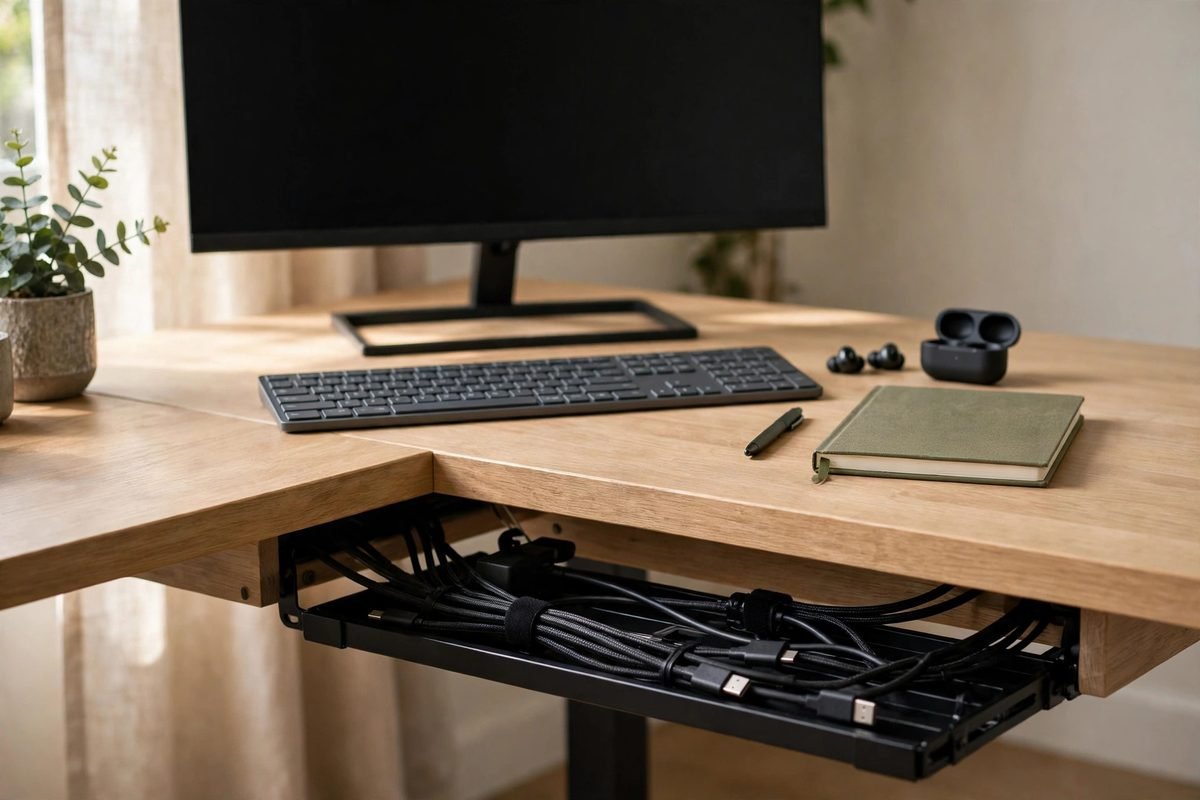
Cables are the fastest way to ruin a tidy L-shaped desk, because a corner desk collects more devices than a straight one. Plan the routes before you plug anything in: a cable tray or a raceway under the desk, a short power strip fixed to the frame, and cables grouped with ties or sleeves.
Keep the power strip where you can reach it, but out of sight, and leave a little slack in each cable so moving a monitor does not unplug it.
Choosing for a home office or for gaming
For a home office, choose a desk with storage and a calm surface that suits video calls. A wood or laminate top looks better on camera than glass, and a drawer for paperwork keeps the background tidy.
For gaming, choose a wide, deep surface with room for a large mouse mat, and check the desk can hold the weight of two screens and a tower. A sturdy frame matters more here, because a wobbling desk is miserable during a long session.
Either way, sit at the desk before you commit if you can, or at least check the returns policy. A desk that looks right online can feel too high, too deep or too cramped in person, and the only reliable test is your own arms, chair and screen.
Assembly and care
Most L-shaped desks arrive flat-packed, and assembly takes longer than a straight desk because of the corner joint. Clear the room first, lay the parts out, and follow the instructions in order rather than guessing, and ask a second person to help hold the corner section.
Look after the surface and it will look after you. Wipe up spills straight away, use a mat under a hot mug, and avoid dragging heavy objects across a laminate top. Tighten the bolts after the first month, since new desks settle, and check the corner joint every few months.
Your L-shaped desk checklist
Run through this list before you order, and again on delivery day.
- Measure both walls: length, depth, door swing and drawer clearance, all written down.
- Choose the return side: left or right, or pick a reversible desk if you are unsure.
- Check the frame: steel legs and a firm corner joint beat thin legs every time.
- Plan the screen height: top of the screen at eye level, about an arm’s length away.
- Route the cables: tray, ties and a power strip fixed under the desk.
- Test the chair space: room to push back, stand up and walk past comfortably.
- Keep the receipt: check the returns policy before you start building.
Frequently asked questions
Do L-shaped desks fit in small rooms?
Yes, they often fit better than a straight desk, because they use corner space that would otherwise sit empty. A compact model with shorter wings works well in a bedroom or a box room, as long as you measure the door swing and leave room to push the chair back.
Which side should the return go on?
Put the long wing on the side where your main screen will sit, and the return on the side you reach for second. If you write with your right hand, a right-hand return suits a notebook and a phone, while a left-hand return suits a second screen.
Can I use an L-shaped desk for two monitors?
Yes, and it is one of the best setups for two screens. Put the main monitor on the long wing, directly in front of you, and the second on the return or beside it, angled slightly towards you. A monitor arm helps, and it frees a surprising amount of desk space.
Are standing L-shaped desks worth it?
They suit people who want to change position during the day, and they are worth it if you will actually use the standing height. If you will sit all day anyway, a good chair and a well-set screen matter more than a motor.
How do I stop an L-shaped desk wobbling?
Check the floor first, then tighten every bolt, especially at the corner joint. A desk on an uneven floor will always wobble, so adjust the feet or use a small shim, and if the wobble stays, the frame may be too light for the weight on it.
Sources
This guide draws on widely published advice on home office furniture, desk ergonomics and workspace layout. For more on the sitting and standing question, read our guide to what a riser desk is, and for the chair and posture side of the setup, see our guide to how to improve posture. If you plan to wall-mount a screen above the desk, our guide to how to mount a TV on the wall covers the fixing and safety basics.
The bottom line
An L-shaped desk is a simple idea that works: two surfaces, one corner, and room for the whole working day without taking over the room. Choose the right type for your space, measure before you buy, set the screen at eye level, and plan the cables early.
Your next step is a tape measure, not a shopping trip. Measure both walls, sketch where the screen, keyboard and chair will go, and only then choose the desk that fits the plan.