

What if the biggest obstacle between you and a working 3D printer isn’t money, but the marketing noise around it? Walk through any hobbyist forum and you’ll see the same pattern: someone buys the cheapest machine on sale, spends a weekend fighting bed adhesion, and either returns it or lets it gather dust. Yet plenty of people print happily for years on printers that cost less than a game console. The difference usually isn’t luck. It’s knowing which specs matter, which ones are marketing fluff, and which trade-offs you can live with.
This guide walks through the budget 3D printer landscape the way an experienced buyer would: architecture, real running costs, the mistakes that trip up beginners, and how to check a machine before handing over money. Prices move fast, so treat every figure here as a starting point to verify on the day you buy, not a fixed truth.
Why Budget 3D Printers Are Better Than Ever, and Why That Makes Choosing Harder
A decade ago, an entry-level FDM printer was an open-frame kit with acrylic parts, no bed leveling, and a real chance of catching fire if assembled carelessly. Today’s budget machines routinely ship with automatic bed leveling, silent stepper drivers, removable magnetic build plates, and even input shaping firmware that compensates for vibration at speed.
That progress has a side effect: the gap between a $150 printer and a $400 printer is no longer about whether it works, but about how much tinkering it demands. Fused filament fabrication (FFF), also called FDM, remains the dominant home technology. Molten plastic is pushed through a heated nozzle and laid down layer by layer. Almost every budget printer uses this method, so the real question is how well a given machine handles the process.
Here is the honest framing: a budget printer is a kit in spirit, even when it arrives assembled. You will learn to level a bed, clean a nozzle, and diagnose a failed first layer. If that sounds like a chore, budget printing will frustrate you. If it sounds like a puzzle worth solving, you’re in the right market.
The Two Budget Printer Architectures, Explained Simply
Most buying guides skip this, and it’s the single most useful thing to understand.
Bedslingers (i3-style)
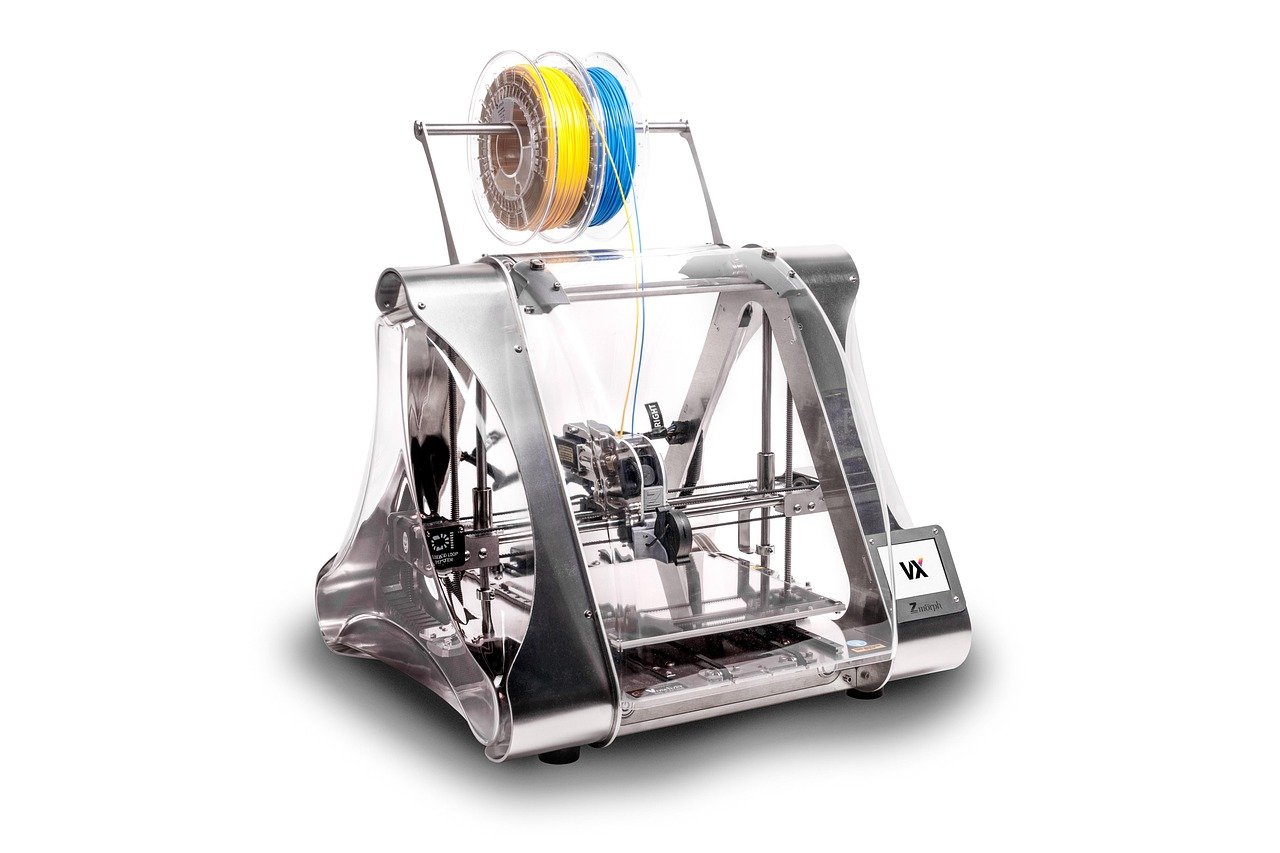
The build plate moves back and forth on the Y axis while the print head moves in X and Z. This design is cheap to manufacture, easy to repair, and has a huge community of mods and spare parts. The downside is that tall, thin prints can wobble as the bed slings them around, and print speed is capped by how much inertia the bed can handle.
Core-XY
The print head moves in both X and Y while the bed only moves down in Z. This gives faster, more stable motion and better results on tall parts. Budget core-XY machines exist, but the cheapest models in this class often cut corners elsewhere, such as a smaller build volume or a thinner frame.
| Feature | Bedslinger (i3-style) | Core-XY |
|---|---|---|
| Moving mass | The bed and the print | Only the print head |
| Speed ceiling | Moderate | Higher |
| Tall print quality | Can wobble | More stable |
| Repairability | Very easy, cheap parts | Easy, slightly more complex |
| Typical budget price band | Lowest | Slightly higher |
For a first printer, a bedslinger is rarely a mistake. For someone who already knows they’ll print tall, functional parts, a budget core-XY is worth the stretch.
Specs That Matter and Specs That Don’t
Budget listings are crammed with numbers. Some are decisive; others are decoration.
What matters:
- Automatic bed leveling. Manual leveling is learnable, but a machine that probes the bed itself removes the most common beginner failure. If a printer lacks it, factor in the cost of a feeler gauge and an hour of patience.
- Direct-drive extruder. It handles flexible filaments better and gives more reliable retraction. Bowden setups are fine for PLA but fussier with advanced materials.
- Maximum hotend and bed temperature. Around 260°C hotend and 100°C bed covers PLA, PETG, and most ABS blends. If the hotend tops out at 240°C, you’re effectively limited to PLA and PETG.
- Build volume. Most budget machines land between 220 × 220 × 250 mm and 235 × 235 × 250 mm. That’s plenty for brackets, toys, and organizers. Bigger isn’t automatically better; a large bed is harder to keep flat.
- Removable build plate. A flexible magnetic sheet makes part removal painless and saves the surface.
- Open firmware. Machines running Marlin or Klipper let you tune, fix, and upgrade. Locked firmware turns a small problem into a dead end.
What matters less than the listing suggests:
- Maximum print speed claims. Vendors quote numbers the machine cannot sustain with good quality. Real-world speeds depend on cooling, frame rigidity, and tuning.
- Layer height precision figures. Anything claiming 0.05 mm is technically possible but rarely useful on a budget machine.
- Filament diameter marketing. 1.75 mm is the standard; there’s nothing to choose.
- Enclosure as a default upgrade. Useful for ABS and ASA, unnecessary for PLA, and often sold as an accessory you can build yourself.
The Hidden Costs Nobody Puts on the Box
The sticker price is the entry fee, not the total. A realistic first-year budget includes:
- Filament. A kilogram of decent PLA runs a modest amount and disappears faster than beginners expect. Budget two to three spools for the first month of learning.
- Spare nozzles and a cleaning kit. Nozzles clog. Buy a pack.
- A filament dryer or dry box. Wet filament causes stringing and popping sounds. In humid climates this is not optional.
- Tools. Flush cutters, tweezers, a scraper, and isopropyl alcohol.
- Electricity and time. A small printer draws roughly what a laptop does while running, so power is minor. Time is the real cost, and it’s substantial at first.
This is the same logic that applies to any budget purchase where the accessory ecosystem quietly doubles the price. It’s the reason a considered approach to budget lifestyle tips pays off: buy the essentials, skip the upsells, and let experience tell you what you actually need.
Common Beginner Mistakes and How to Avoid Them
Buying on price alone during a flash sale. The cheapest machine in a sale is often the one with the weakest support and no spare parts supply. Check that the manufacturer sells replacement hotends, belts, and beds before you buy.
Skipping the assembly check. Even pre-assembled printers arrive with loose eccentric nuts, misaligned belts, and shipping debris on the rails. Spend the first hour checking squareness and belt tension. It prevents a week of mysterious print failures.
Chasing perfect first layers with the wrong variable. Beginners adjust five settings at once. Change one thing, print a small test, and repeat. A first-layer test patch tells you more than any forum thread.
Ignoring ventilation. PLA smells faintly sweet and is generally considered low-risk. ABS and ASA release fumes that warrant an enclosure and airflow away from living spaces. If the printer lives in a bedroom, stick to PLA and PETG.
Forgetting the electrical certification mark. Look for a CE, UKCA, or UL mark on the power supply and the machine. Cheap unbranded power supplies are the most common safety weak point in budget printers. Check recall databases before buying an unfamiliar brand, and check again if you buy used.
Never updating firmware. Open firmware improves over time. A machine that shipped with buggy leveling behavior may have a fix available.
How to Vet a Budget Printer Before You Buy
A short, practical checklist beats hours of video reviews:
- Confirm the firmware is open. Look for Marlin or Klipper in the specs. If the listing is vague, assume it’s locked.
- Find the spare parts page. If the vendor doesn’t sell a hotend or a bed surface, walk away.
- Check the community. Search the model name plus “problems.” A healthy community means answers exist; a silent one means you’re alone.
- Read the negative reviews specifically. Look for repeated complaints about the same failure. One bad review is noise; ten identical ones are a design flaw.
- Verify the return window. Budget printers ship with bent frames and cracked beds occasionally. Know your options.
- Check noise expectations. Silent stepper drivers help, but fans are often the loudest part. A shared room or apartment with thin walls may push you toward a quieter model.
The same discipline applies to any big-ticket budget decision. People researching a used Toyota 4Runner and which generation fits their budget use the same method: verify the known failure points, check parts availability, and ignore the shiny listing photos. A printer is a machine with wear items, and it deserves the same scrutiny.
Where Budget Printers Fit in a Broader Budget
It helps to think of a 3D printer as a tool with a hobby attached, not a gadget. If it earns its place by fixing things around the house, printing replacement parts, or supporting a craft, the math works. If it’s purely novelty, the cost per print can look silly.
That’s the same reasoning behind sensible choices in other areas. Someone outfitting a home gym might compare a Superun magnetic exercise bike that budget buyers should know about against gym memberships, asking whether the equipment will actually get used. A printer deserves the same question. Will you print once a week or once a season?
There’s also a genuine repair angle. Printed brackets, knobs, cable clips, and jigs solve small problems for pennies of filament. If you’re already planning a home renovation budget, a printer can produce templates, spacers, and custom fittings that would otherwise be special orders. That’s where budget machines earn their keep.
And for anyone who enjoys the economics of inexpensive gear, the pattern is familiar. A budget beef cut that rewards slow cooking teaches the same lesson as a budget printer: cheap inputs plus patience and technique produce results that rival expensive ones. The machine is the cut of meat. Your tuning is the cook.
What to Expect in Print Quality From a Budget Machine
Set expectations honestly. A well-tuned budget printer produces clean, strong parts with visible layer lines. It will not match a resin printer’s surface finish, and it won’t hit the speeds of a premium core-XY machine. What it will do is print functional parts reliably once dialed in.
The biggest quality lever isn’t the printer. It’s the filament. Cheap, wet, inconsistent filament produces inconsistent results no matter what machine you own. Buy from a brand with batch consistency, dry it, and store it sealed. This single habit fixes more print failures than any hardware upgrade.
The second lever is patience with the first layer. Get that right, and the rest follows.
Conclusion
The best budget 3D printer isn’t the cheapest one on a sale page. It’s the one with open firmware, automatic bed leveling, a direct-drive extruder, a hotend that reaches at least 260°C, and a manufacturer who sells spare parts. Everything else is preference. Bedslingers are easier to repair; core-XY machines handle speed and height better. Neither is wrong.
Budget printing rewards the same virtues as any other budget pursuit: research before buying, realistic running costs, and a willingness to learn the machine’s quirks. Verify prices on the day you buy, check the certification marks, and confirm the return window. Do that, and a modest printer will quietly become one of the most useful tools in your house.
FAQ
What is the minimum I should spend on a 3D printer?
There’s no universal figure, and prices shift constantly. The practical rule is to avoid the absolute cheapest listing and look for the lowest price at which a machine includes automatic bed leveling, a heated bed, and open firmware. Below that threshold you’re buying a project, not a printer.
Do budget 3D printers need an enclosure?
Only if you plan to print ABS or ASA. Those materials warp and release fumes without controlled temperature and airflow. For PLA and PETG, an open frame is fine. If you later want an enclosure, many can be built cheaply from panels and a frame.
Is a bedslinger or core-XY better for a first printer?
A bedslinger is usually the better first printer. It’s simpler, cheaper to repair, and has enormous community support. Choose a budget core-XY only if you already know you’ll print tall parts or want higher speeds and are prepared to tune more carefully.
How often do budget printers break?
Wear parts fail regularly, not the machine itself. Nozzles clog, belts stretch, and build plates lose adhesion. These are consumables. With spare nozzles and belts on hand, most budget printers run for years with basic maintenance.
Can a budget printer print functional parts rather than only toys?
Yes. PLA and PETG produce strong brackets, clips, jigs, and replacement knobs. The limits come from heat resistance and layer adhesion, not from the printer’s price. Design parts with the layer direction in mind, and budget prints hold up well.
What should I check before buying a used 3D printer?
Check the frame for bends, inspect the build plate for gouges, ask how many hours the machine has run, and confirm the hotend heats and the thermistor reads correctly. Verify the firmware is open and that spare parts are still sold. Finally, check recall databases for the model.














