

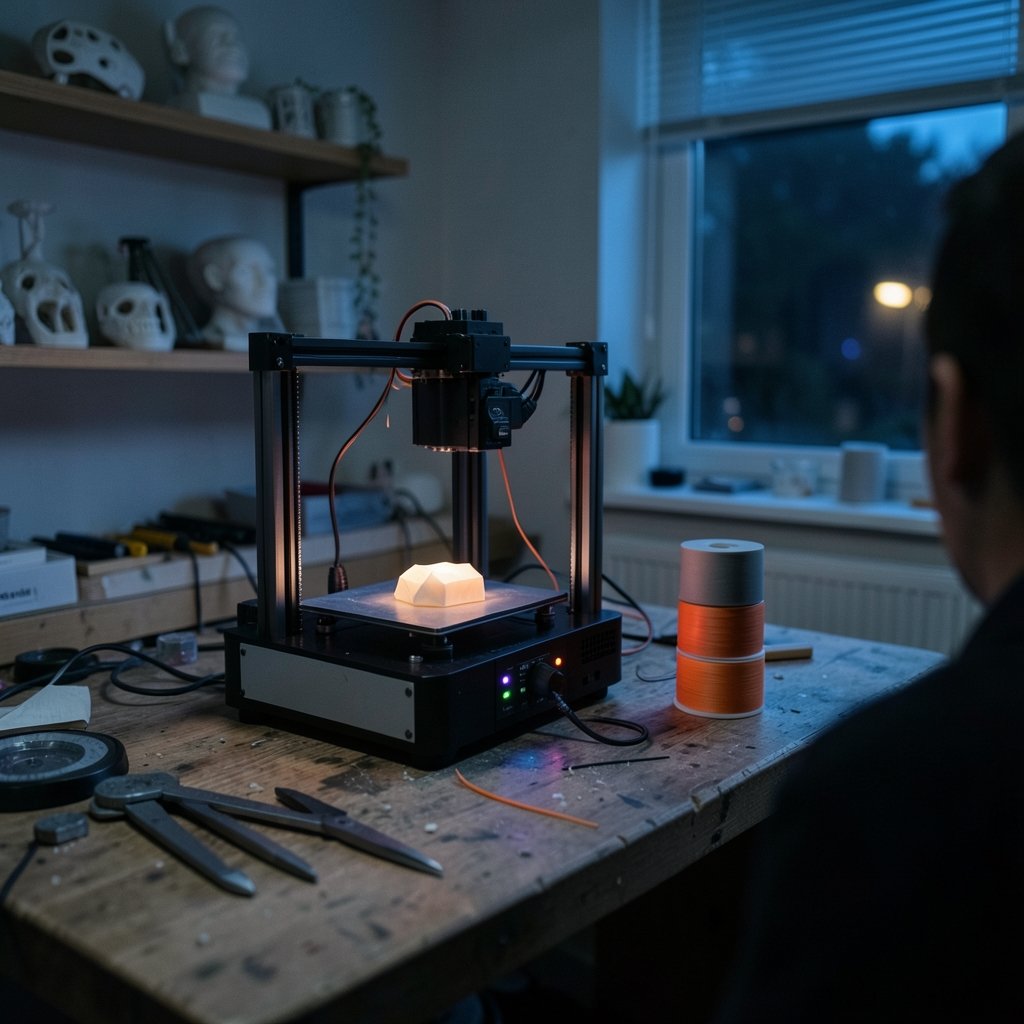
What if the biggest barrier between you and a shelf full of custom-printed parts isn’t skill, but simply picking the wrong machine? That happens more than people admit. Budget 3D printers have gotten genuinely good, but they haven’t gotten identical. Some ship with self-calibration and just work. Others reward tinkerers and punish everyone else. The shortlist below focuses on machines that deliver real prints for modest money, with the trade-offs spelled out honestly.
Quick Comparison of the Top Budget Picks
| Model | Type | Best for | Standout strength | Main limitation |
|---|---|---|---|---|
| Bambu Lab A1 mini | FDM, open frame | Beginners who want zero fuss | Fast, polished prints with optional four-color printing | Small print bed |
| Creality Ender-3 V3 SE | FDM, open frame | First-timers on the tightest budget | Auto-leveling and a huge user community | Fewer premium features |
| Flashforge AD5X | FDM, open frame | Trying multicolor cheaply | Four-color printing for less than enclosed rivals | Filament waste on color changes |
| Elegoo Centauri Carbon 2 | FDM, enclosed | Precision work that grows with you | Enclosed CoreXY-style performance | Slicer still maturing |
| Elegoo Mars 5 Ultra | Resin | Miniatures and fine detail | Extremely fine layer heights | Messy resin workflow, thin documentation |
| Snapmaker U1 | FDM, multi-nozzle | Mixing colors and materials | Four independent nozzles | Higher cost than entry picks |
Bambu Lab A1 mini: The Beginner Pick That Feels Expensive

If someone wants one recommendation and no homework, this is it. The A1 mini is the machine that quietly ended the “budget tinkerer” era. It runs a full self-calibration routine, so bed leveling with a sheet of paper is no longer part of the hobby. Reviewers consistently describe it as easy to get going, fast at standard settings, and capable of great-looking prints. The optional multicolor accessory adds four-color printing without a huge outlay.
Who it suits: total beginners, hobbyists printing small-to-medium parts, and anyone who values reliability over build volume.
The real limitation: the print bed is small. Large single-piece prints are out, and multicolor jobs generate noticeable filament waste. The touchscreen is also cramped.
Price context: it has been spotted at $329 for the Combo bundle during seasonal sales, down from $459. Treat that as a sale snapshot, not a permanent price, and check the official store before buying.
Creality Ender-3 V3 SE: Cheapest Credible Starting Point
The Ender-3 line is the default first printer for a reason, and the V3 SE is the version that finally added auto-leveling to the entry tier. Its 220 × 220 × 250 mm build volume is bigger than the A1 mini’s, and the community around Ender machines is enormous, which matters enormously when something goes wrong at 11 p.m.
Who it suits: buyers who want the lowest entry cost, don’t mind learning the machine, and like the idea of a deep pool of community fixes and upgrades.
The real limitation: it’s a budget FDM machine in the traditional sense. You’ll do more manual tuning than with the Bambu, and you won’t get the same plug-and-play polish.
Price context: it has appeared at $199 during Spring Sale promotions. That’s a promotional figure, so verify current pricing directly.
One practical note from experience with this class of printer: the first week decides everything. Spend an evening on bed tramming, belt tension, and one small calibration cube before attempting anything ambitious. People who skip that step conclude the printer is broken. It usually isn’t.
Flashforge AD5X: Multicolor on a Smaller Budget
Multicolor printing used to be a luxury feature. The AD5X drags it into budget territory with an Intelligent Filament System supporting up to four colors, a 220 × 220 × 220 mm build volume, a 300°C nozzle, automatic bed leveling, and manufacturer-rated speeds up to 600 mm/s travel and 300 mm/s print. Those speed figures are ratings, not what you’ll see in practice, but the feature set is unusually complete for the money.
Who it suits: anyone curious about multicolor printing who doesn’t want to pay enclosed-machine prices, and who doesn’t need a full enclosure.
The real limitation: like every single-nozzle multicolor design, it purges filament when switching colors. Waste management remains the weak spot, and long multicolor prints can chew through material faster than expected.
If you’re weighing accessories and supplies into your budget, the same discipline that helps you choose the best home printer without wasting money on ink applies here: the machine price is the entry ticket, and consumables are the ongoing bill.
Elegoo Centauri Carbon 2: Enclosed Performance That Grows With You
Enclosed printers keep drafts out, hold heat in, and make high-temperature filaments far more predictable. The Centauri Carbon 2 brings that capability to a budget-adjacent price, and it’s been described as a precision-led machine that will grow with its owner. It has appeared at $449 for the Combo during sales, down from $499.
Who it suits: buyers who already know they’ll stick with the hobby, want to print engineering materials, and prefer a machine they won’t outgrow in six months.
The real limitation: the slicer needs work. Software is half the experience on any modern printer, and a rough slicing workflow undercuts good hardware.
Elegoo Mars 5 Ultra: The Resin Route for Detail Junkies
Resin printing is a different sport. The Mars 5 Ultra produces layers as thin as 0.01 mm, which is 10 to 20 times finer than a typical FDM printer, and reviewers note that once dialed in it rivals output from machines costing considerably more. For tabletop miniatures and fine figurines, nothing in FDM territory competes on surface detail.
Who it suits: miniature painters, modelers, and anyone whose priority is detail rather than large functional parts.
The real limitation: documentation is poor or confusing, and the resin workflow itself involves gloves, ventilation, washing, and curing. It is not a “hit print and walk away” experience. The build area is also small (roughly 6.0 by 3.1 by 6.5 inches), so batching is the norm.
Snapmaker U1: Four Nozzles for Mixed Materials
The U1 takes a different approach to multicolor: four independent nozzles that can run different colors or entirely different materials in one print. Reviewers have called it one of the most compelling printers of the past year for exactly that reason.
Who it suits: makers who want to combine a rigid material with a flexible one, or produce multi-material parts without purge waste.
The real limitation: cost. It sits above the entry picks, so it only makes sense if multi-material printing is the actual goal rather than a curiosity.
How to Choose Without Regret
Now that the options are on the table, here’s the decision logic that actually works.
- Decide between FDM and resin first. FDM for functional parts, large objects, and low mess. Resin for detail. This single choice eliminates half the list.
- Check the build volume against your real projects, not your imagination. Most beginners print small objects. If that’s you, a small bed is fine and saves money.
- Confirm auto-leveling. In this price class, manual bed leveling is the number one source of frustration. Don’t accept a machine without it.
- Budget for consumables. Filament or resin, spare nozzles, and isopropyl alcohol for resin work all add up.
- Buy for the software, too. A great printer with a bad slicer is a bad printer. Read user reports on the slicing workflow before committing.
- Wait for a sale if you can. Seasonal promotions have knocked $100 or more off popular models.
A word on deals: the discount cycle is real and predictable. Spring and late-year sales have repeatedly cut prices on the A1 mini, the Ender-3 V3 SE, and the Centauri Carbon 2. If your chosen model isn’t discounted today, setting a price alert costs nothing.
And a word on the upgrade trap: a cheap printer plus $150 of mods usually costs more and performs worse than the next model up. Buy the machine that already does what you need. The same logic applies to splurging on accessories elsewhere in your life, whether that’s affordable luxury luggage or hobby gear: pay once for the capability you’ll actually use.
Common Mistakes That Cost Beginners Money
Buying the cheapest machine and expecting premium results tops the list. So does skipping calibration, printing with damp filament, and choosing multicolor as a first feature when single-color prints haven’t been mastered yet. Another frequent error: ignoring noise and footprint. An open-frame printer in a small apartment is louder than the spec sheet suggests.
Finally, don’t overlook where the printer lives. A stable, draft-free surface matters as much as the machine. If you’re setting up a workspace on a budget, the principles behind affordable home decor apply to hobby corners too: sturdy beats stylish, and a wobbly table ruins prints no matter what printer sits on it.
Conclusion
The best affordable 3D printer in 2026 isn’t a single machine; it’s the one that matches how you’ll actually use it. For most beginners, the Bambu Lab A1 mini is the safest recommendation because it removes calibration guesswork and prints beautifully out of the box. The Creality Ender-3 V3 SE wins on pure entry cost and community support. The Flashforge AD5X is the smart route into multicolor, the Elegoo Centauri Carbon 2 rewards buyers who want an enclosed machine to grow into, the Elegoo Mars 5 Ultra is unmatched for miniature detail, and the Snapmaker U1 is the specialist’s choice for mixed materials.
Pick the type, match the build volume to real projects, insist on auto-leveling, and buy during a sale. Do that, and the “budget” label stops being a compromise and starts being a smart purchase.
Frequently Asked Questions
How much should a beginner spend on a 3D printer?
Entry-level FDM machines have sold for as little as $199 during promotions, while polished beginner models with multicolor options have run around $329 on sale. Resin printers sit in a similar range but add ongoing costs for resin, gloves, and cleaning supplies. Set aside roughly 20 to 30 percent of the printer price for consumables in the first few months.
Is a resin printer better than an FDM printer for beginners?
Not usually. Resin printers deliver far finer detail, with layer heights down to 0.01 mm, but they involve gloves, ventilation, washing, and curing. FDM printers are cleaner, safer in living spaces, and better for functional parts. Choose resin only if miniatures or highly detailed models are your main goal.
Do budget 3D printers still need manual bed leveling?
Many no longer do. Models like the Bambu Lab A1 mini calibrate themselves automatically, and the Creality Ender-3 V3 SE includes auto-leveling at the entry price. Manual leveling remains the biggest source of beginner frustration, so treat auto-leveling as a must-have rather than a bonus.
Why does multicolor printing waste so much filament?
Single-nozzle multicolor systems purge the old color out of the nozzle before loading the next one. Every color change consumes material that ends up as waste. Printers with independent nozzles for each color, like the Snapmaker U1, avoid most of that purge waste but cost more upfront.
Can a cheap 3D printer handle high-temperature filaments?
Only if it’s enclosed or has the right hotend. Open-frame budget printers struggle with materials that need a stable, warm environment. An enclosed model such as the Elegoo Centauri Carbon 2 is the more sensible route for engineering filaments, and the Flashforge AD5X’s 300°C nozzle widens material options on an open frame.
When is the best time to buy a budget 3D printer?
Sales are frequent and meaningful. Spring promotions and late-year deals have repeatedly cut $100 or more off popular models, including the A1 mini Combo and the Centauri Carbon 2 Combo. If your chosen model isn’t discounted, wait or set a price alert rather than paying full price.











