


What if the single biggest upgrade to your PC gaming setup isn’t a new graphics card, but the thing sitting on your ears? That’s the question worth asking before you spend anything, because the right headset changes how you hear footsteps, callouts, and dialogue. The wrong one just gives you a headache after two hours.
This roundup skips the theory and goes straight to named options. Each pick below gets a clear “who it suits,” what it does well, one honest limitation, and a price where a published figure exists. Read the table first, then dig into the pick that sounds like you.
Quick Comparison of the Top PC Gaming Headsets
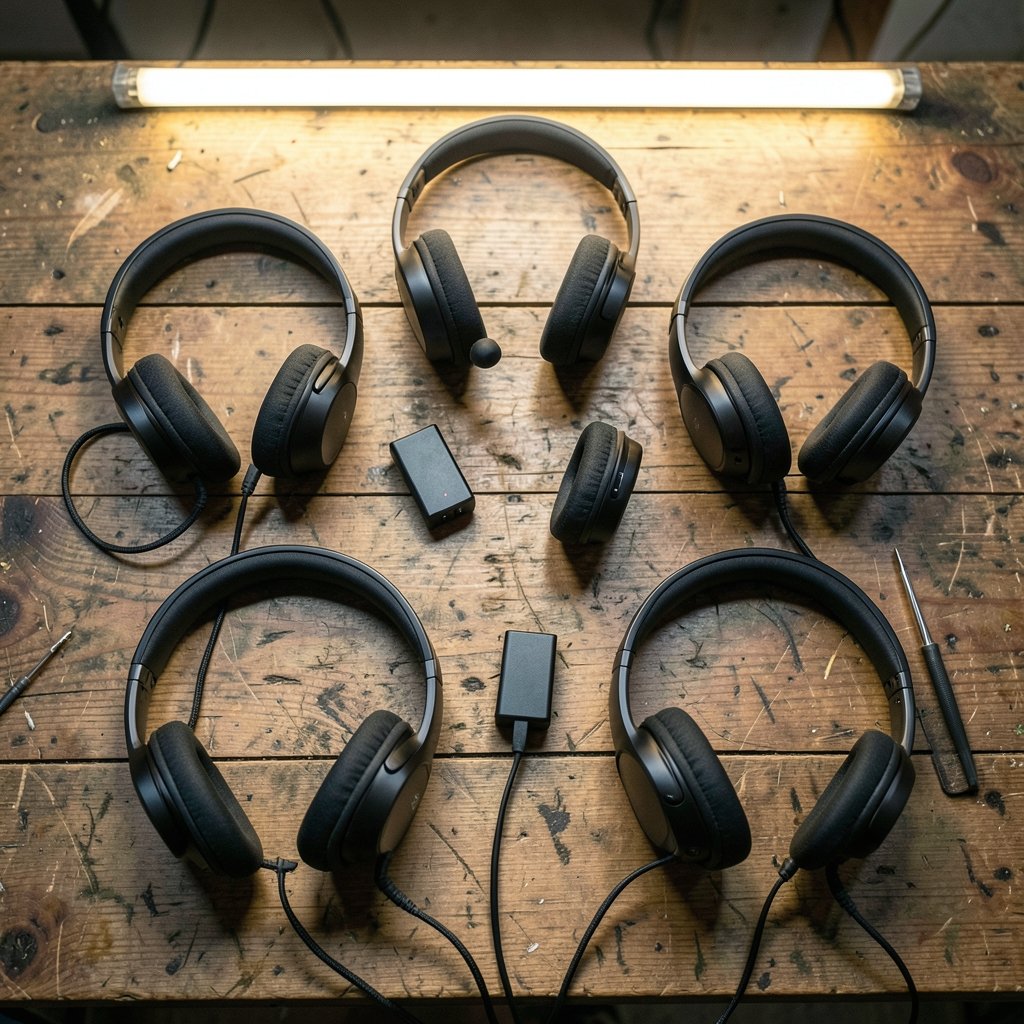
| Headset | Best for | Connection | Standout strength | Watch out for | Price |
|---|---|---|---|---|---|
| SteelSeries Arctis Nova Pro Wireless | All-round PC pick | Wireless + wired | ANC, swappable battery | Premium price | ~$200 |
| Audeze Maxwell 2 | Sound quality first | Wireless | Planar magnetic drivers | Heavier, niche | Not stated |
| SteelSeries Arctis Nova Elite | Multi-device owners | Wireless + wired | 84% noise reduction, GameHub | $599.99 is steep | $599.99 |
| HyperX Cloud III | Mid-range value | Wired or wireless | Comfort, detachable mic | Not a flagship | Not stated |
| Logitech G PRO X 2 Lightspeed | Competitive play | Wireless | Sound, build, battery | Costs more than budget picks | $249 |
| Nacon RIG 900 Max HS | Long sessions | Wireless | Comfort and audio clarity | Premium price | Not stated |
| Razer BlackShark V3 Pro | Noise blocking | Wireless | ANC focus | Niche fit | Not stated |
SteelSeries Arctis Nova Pro Wireless: The Safest All-Rounder


If someone asks for one recommendation without listing any preferences, this is the name that keeps coming up. It tops an overview of the best gaming headsets across platforms, and it earns that spot with a hybrid noise-cancelling system built around four microphones. The headset also carries active noise cancellation into everyday use, which matters if you game near a busy street or a loud roommate.
The feature that wins people over in practice is the dual battery design. One battery charges in the base station while the other powers the headset for around 30 hours, so you rarely think about charging at all. The extensive library of game-specific EQ presets, plus a full parametric EQ, lets you tune sound per title rather than settling for one profile.
The limitation is honest: most of the premium features exist in the cheaper sibling too. If you game on one platform and never touch EQ settings, you’re paying for capability you won’t use. Expect to pay around $200, which puts it in the upper-middle tier rather than the budget bracket.
Audeze Maxwell 2: For Players Who Put Sound First
Some people want spatial tricks. Others want music-grade audio in a gaming shell. The Maxwell 2 sits at the top of the sound-quality conversation, and its planar magnetic drivers are the reason. If you play atmospheric single-player games, or you listen to music at the same desk, this is the pick that rewards that habit.
The trade-off is weight and focus. Planar drivers and a metal-heavy build mean this is not the featherweight option for marathon sessions, and its feature set leans toward audio purity rather than console-style extras. Buy it because you care about how things sound, not because you want the longest feature list.
SteelSeries Arctis Nova Elite: The Multi-Device Flagship
This is the headset that reviewers describe in superlatives. One long-term test called it the best headset the tester had ever used, and the spec sheet explains why: 40mm carbon fiber drivers with a brass surround, certified Hi-Res audio at 96kHz/24-bit, and a retractable boom mic paired with an on-ear beamforming mic that uses AI noise rejection.
The numbers back up the hype in one specific area. Its ANC achieves 84% noise reduction, described as the best in any gaming headset tested. The Omniplay GameHub connects four devices at once, so a PC, console, and phone can all live on one headset. The Infinity Power system uses two removable batteries, one always charging in the hub, for up to 60 hours across both.
The catch is the price: $599.99. That only makes sense if you’ll actually use the multi-device switching or want a headset that doubles as everyday headphones. For single-platform PC players, the returns diminish fast.
HyperX Cloud III: The Mid-Range Workhorse
Not everyone needs a flagship. The Cloud III is the mid-range wired pick in a widely cited 2026 roundup, and it’s also available in a wireless version. Its reputation rests on two practical things: comfort over long sessions and a detachable mic that lets you switch to a desk mic without fighting a boom arm.
In practice, this is the headset people recommend to friends who game a few nights a week and don’t want to think about batteries. The limitation is that it doesn’t try to be a flagship. No premium ANC, no hot-swap batteries, no game-specific EQ library. If you want those, look up the list. If you want something that just works, this is a sensible landing spot.
Worth noting: if you already run a desk mic on a boom arm, a studio-grade headphone like the beyerdynamic DT 990 PRO becomes a legitimate alternative, since you’re no longer paying for an attached mic you won’t use.
Logitech G PRO X 2 Lightspeed: Built for Competitive Play
Competitive players care about three things: clear positional audio, a mic teammates can actually understand, and a headset that survives being thrown in a bag. The G PRO X 2 Lightspeed checks all three, with sound that stays clean and punchy, a comfortable fit, and battery life long enough to forget about charging.
It also works almost everywhere and brings a deep software suite for tuning. At $249 it sits below the flagship tier but above the budget picks, which is the right zone for someone who plays ranked modes weekly. The limitation is simply that cheaper headsets now cover the basics well enough that you need to value the build quality and software to justify the jump. Pair it with a solid board from a guide on how to choose the best gaming keyboard for your setup and you’ve covered the two peripherals that affect performance most.
Nacon RIG 900 Max HS: The Long-Session Comfort Pick
Comfort is the most underrated spec on any headset, and this one nails it. A reviewer logged five to six hour sessions without the ear cups chafing or getting uncomfortably warm, and called the audio quality pristine enough to make immersive single-player games hard to put down. Durability and plush padding are the headline strengths.
The limitation is that it’s a premium purchase aimed at PS5 and PC players, so Xbox-only households should look elsewhere. If your sessions run long and your current headset starts to ache around hour three, this is the upgrade that fixes the actual problem.
Razer BlackShark V3 Pro: When Noise Blocking Matters Most
If your gaming space is noisy, ANC stops being a luxury. This model is the noise-cancelling specialist in the same 2026 roundup, and it’s the pick for players in shared rooms, dorms, or apartments with thin walls. Blocking fan noise and background chatter does more for immersion than any EQ preset.
The limitation is fit. Noise-cancelling headsets tend to clamp more firmly to seal properly, which some players find tiring. Try before you buy if you can, or buy from a retailer with a generous return window.
Budget Alternatives Worth Knowing
Not every recommendation needs to cost hundreds. A few cheaper options earn their place:
- Logitech G435 Lightspeed looks like a toy but punches well above its price, with a lightweight build and responsible manufacturing. At around $29, it’s the “second headset” pick for a laptop bag.
- Razer Barracuda X uses a USB-C dongle to connect across platforms and has a microphone that sounds great for the money. Around $99.
- SteelSeries Arctis Nova 1 is the entry-level wired option in the 2026 roundup, ideal if you want the Arctis tuning without the wireless premium.
- Turtle Beach Stealth 500 covers the entry-level wireless slot for players who hate cables but can’t stretch to mid-range prices.
One practical tip from testing notes: cheap headsets often skimp on the mic, not the drivers. If you stream or play in a regular squad, budget for a model with a mic that’s been specifically praised, or plan to add a desk mic later.
How to Choose: What Actually Matters
Now that you’ve seen the shortlist, here’s the filter to run each option through.
- Decide wired or wireless first. Wired means zero latency and no charging. Modern 2.4GHz wireless keeps lag minimal, so the real question is whether you’ll remember to charge. If not, prioritize 30+ hour battery life or a hot-swap system.
- Check surround sound support. Look for Dolby Atmos, Tempest 3D AudioTech, or THX Spatial Audio if positional accuracy matters in your games.
- Read mic reviews, not driver specs. Noise-cancelling mics keep your voice sharp and background noise down. A great-sounding headset with a muffled mic will annoy your squad more than bad audio ever will.
- Prioritize comfort for your session length. Memory foam pads, an adjustable headband, and a lightweight design matter more the longer you play. A 380g flagship feels different at hour five than at hour one.
- Match compatibility to your platform. A headset built for PS5 may not serve an Xbox household, and PC-first models sometimes skip console features entirely. Check the connector and platform list before buying.
- Set a ceiling and stick to it. The jump from $200 to $600 buys multi-device switching and better ANC, not better aim. If you game on one platform, spend the difference on a better chair or monitor instead.
That last point connects to a broader truth about setups: the best gear is the gear that fits how you actually play. The same logic applies when you find the best cheap gaming laptop without wasting money or when you work out why the best wireless gaming headset actually matters when you buy. Specs on a box rarely tell the whole story.
Conclusion
There’s no single best gaming headset for PC, only the best one for your room, your platform, and your patience for charging cables. The Arctis Nova Pro Wireless is the safest default for most people. The Maxwell 2 is for ears that care about fidelity. The Nova Elite is for the multi-device power user with a flagship budget. The Cloud III and G435 cover everyone who just wants to hear the game and be heard.
Pick the row in the table that describes you, check the one limitation, and buy from a retailer with a return window. Your ears will settle the rest.
Frequently Asked Questions
Is a wireless gaming headset good enough for competitive PC play?
Yes, for almost everyone. Modern wireless headsets use 2.4GHz low-latency tech, so lag is minimal. Wired still offers zero latency by definition, which is why some tournament players stick with it, but the gap is small enough that comfort and battery life usually matter more.
How much should I spend on a PC gaming headset?
Most players are well served between $100 and $250, where you get solid sound, a decent mic, and 30+ hours of battery. Above that, you’re paying for ANC, multi-device switching, or premium drivers. Below $100, expect compromises, usually on the microphone.
Do I need active noise cancellation in a gaming headset?
Only if your environment is noisy. ANC shines in shared rooms, dorms, and apartments. In a quiet room, the money is better spent on sound quality or comfort. One flagship model achieves 84% noise reduction, which is impressive but unnecessary for a silent home office.
What battery life should I look for in a wireless headset?
Aim for 30 hours or more. That covers several sessions between charges. Premium models reach 60 hours or offer hot-swappable batteries, where one pack charges while the other powers the headset, effectively removing charging from your routine.
Can I use a gaming headset for work calls and music?
Absolutely, and it’s often the smartest way to justify a higher price. Headsets with Bluetooth and multi-device support switch between PC and phone cleanly. Models with balanced default tuning and parametric EQ handle music better than bass-heavy gaming-only designs.
Should I buy a headset with an attached mic or use a separate desk mic?
If you play with friends regularly and want one cable, an attached mic with noise cancellation is simpler. If you stream, record, or already own a boom arm, a headset with a detachable mic, or studio headphones paired with a desk mic, gives better voice quality for the money.











