


What if the processor everyone calls “the best” would actually slow down your specific machine? That happens more often than people admit. The fastest chip on a benchmark chart is not automatically the right chip for a gaming rig, a video editing station, or a budget build that needs to last five years.
The desktop CPU market has split into clear lanes. AMD’s Ryzen 9000 line and Intel’s Core Ultra 200 series are fighting hard at every price point, and each company now wins different battles. This roundup names the specific chips worth buying, explains who each one suits, and flags the trade-offs nobody mentions in the spec sheet.
Quick Comparison of the Top CPU Options
| Processor | Best for | Standout strength | Main limitation | Listed price |
|---|---|---|---|---|
| AMD Ryzen 7 9850X3D | Pure gaming at high refresh rates | Tops 1080p gaming charts | Weakest value for non-gaming work | Not listed in sources |
| AMD Ryzen 7 9800X3D | Gaming with a familiar price | About 97% of the 9850X3D’s gaming speed | Less headroom for heavy multitasking | Not listed in sources |
| Intel Core Ultra 7 270K Plus | Single-thread speed and mixed workloads | Highest single-thread score in testing | Slightly behind the i9-14900K in games | Not listed in sources |
| Intel Core Ultra 9 285K | AI tasks and content creation | Dedicated NPU for AI acceleration | Higher price for modest gaming gains | $589 |
| AMD Ryzen 5 7500F | Budget builds | Strong multi-core value on AM5 | Weak gaming performance next to rivals | Not listed in sources |
| AMD Ryzen 5 9600X | Mid-range 120-180Hz gaming | Over 80% of flagship gaming performance | Six cores limit heavy production work | Not listed in sources |
AMD Ryzen 7 9850X3D: The Fastest Gaming Chip You Can Buy
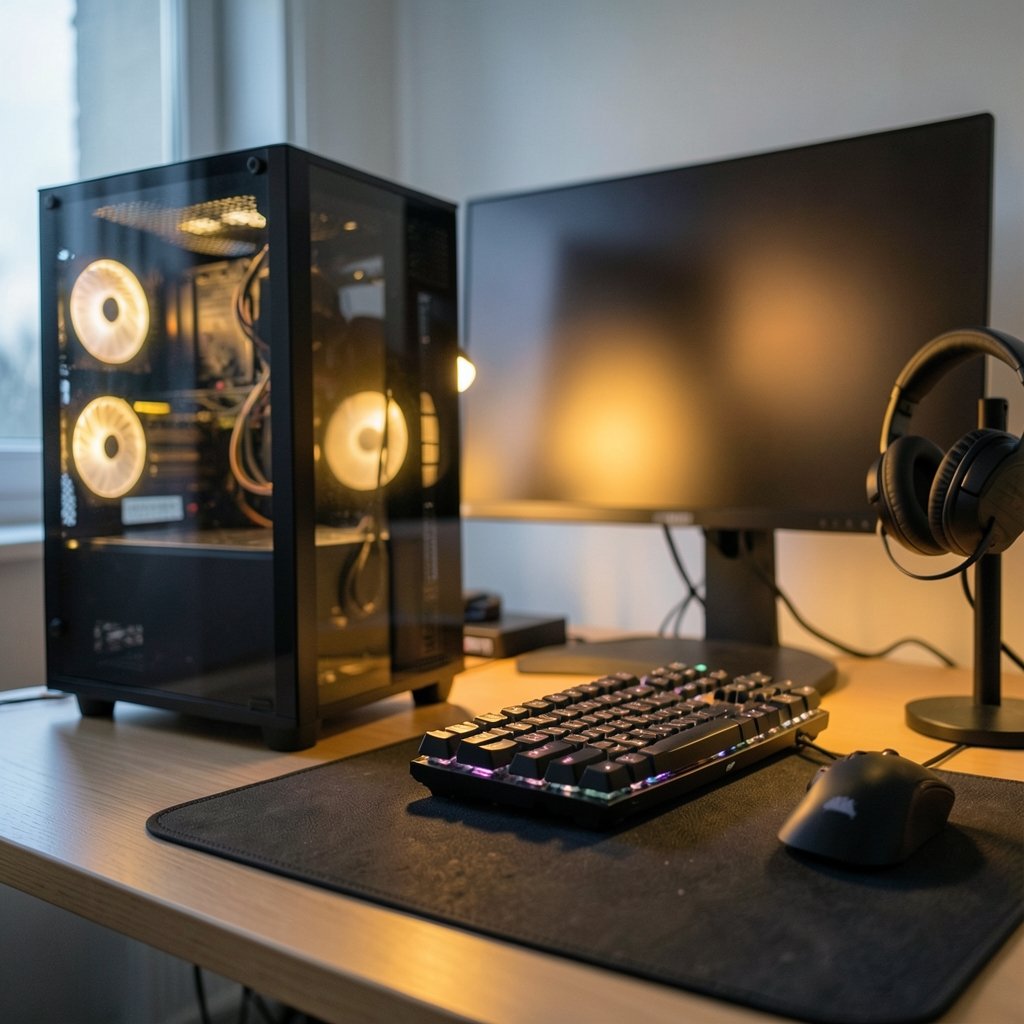
If frames per second are the whole point, this is the answer. In a test pass using an NVIDIA RTX 5090 FE across 17 major titles at high and ultra settings, the Ryzen 7 9850X3D posted a geometric mean of 217 FPS at 1080p, according to a widely shared breakdown of Tom’s Hardware’s desktop CPU rankings. That put it at the top of the gaming chart outright.
The secret is 3D V-Cache. AMD’s stacked cache gives games a huge pool of fast memory to draw from, and in titles that lean on simulation, AI routines, and open worlds, that advantage shows up as smoother frame times rather than just bigger numbers. AMD’s Zen 5 X3D chips swept the top four gaming spots in that same testing.
Who it suits: competitive players, high-refresh monitor owners, and anyone building around a 240Hz or 360Hz display.
The limitation: it is a gaming specialist. If your day job involves rendering or code compilation, you are paying a premium for cache that does little for you. Check current pricing on the official AMD page before committing, since the sources used here do not list a figure.
AMD Ryzen 7 9800X3D: Nearly the Same Speed, Less Drama
Here is the practical tip most buyers miss: the previous X3D generation is still excellent. The Ryzen 7 9800X3D delivered about 97% of the 9850X3D’s gaming performance in the same test suite. That is a difference you will not feel in real play, and it often lands at a friendlier price.
For years, the 9800X3D has been the default recommendation for gamers who want one chip that does everything well without chasing the newest badge. It handles streaming, light editing, and everyday multitasking comfortably.
Who it suits: gamers who want flagship feel without flagship pricing, and anyone upgrading an existing AM5 board.
The limitation: if you already own a 7800X3D, the jump is small. Spend the money on a GPU instead.
Intel Core Ultra 7 270K Plus: The Single-Thread Champion
Intel’s comeback story lives here. The Core Ultra 7 270K Plus took first place in single-thread testing, edging out the Core Ultra 9 285K and Core Ultra 7 265K. Single-thread speed matters more than people think: it drives app launch times, spreadsheet crunching, browser responsiveness, and a long list of games that never learn to use many cores.
It also ranks first on UL Benchmarks’ 3DMark CPU Profile leaderboard with a max-threads score of 19,323, ahead of the Core Ultra 9 285K at 18,885. Those figures are medians drawn from user-submitted results, so treat them as a crowd-sourced signal rather than a laboratory verdict.
Who it suits: productivity-first users, office power users, and gamers who also do a lot of general computing.
The limitation: in gaming, Intel’s best showing came from the older Core i9-14900K, with the 270K Plus just behind it. If gaming is 90% of your workload, AMD still wins.
Intel Core Ultra 9 285K: Built for AI and Creative Work
The 285K is Intel’s do-everything flagship, listed at $589. Its party trick is a dedicated NPU, which accelerates AI workloads on-device. AMD’s high-end desktop chips (outside its APUs) do not include an NPU, so for local AI tasks the 285K has a structural edge.
It also posts a strong 18,885 on the 3DMark CPU Profile max-threads test, second only to the 270K Plus in that dataset. For video editors, 3D artists, and developers running local models, that combination is compelling.
Who it suits: creators, AI tinkerers, and users who want one machine for work and play.
The limitation: the price. At $589 before a motherboard, you are deep into premium territory, and a cheaper AMD chip will still beat it in most games.
AMD Ryzen 5 7500F: The Budget Build That Makes Sense
Budget shopping is grim right now, and it is worth saying so plainly. Intel’s cheapest current-generation option, the Core Ultra 5 225F, lists at $160 and, despite six performance cores and four efficiency cores, only matches the Ryzen 5 7500F in multi-core work while being much slower for gaming. (The row)
That makes the 7500F the smarter entry point. It sits on AM5, so you get DDR5 memory support and a platform with a future upgrade path, and it handles everyday tasks without complaint.
Who it suits: first-time builders, office machines, and parents buying a school PC that can game a little.
The limitation: gaming performance is modest. Pair it with a mid-range GPU and keep expectations realistic.
AMD Ryzen 5 9600X: The Sensible Mid-Range Pick
Not everyone needs a flagship. For players targeting 120Hz to 180Hz displays, the Ryzen 5 9600X delivers more than 80% of the X3D flagships’ gaming performance while sipping power, according to a breakdown of one outlet’s tiered recommendations. Six Zen 5 cores, a lower price, and excellent efficiency add up to a chip that disappears into a build in the best way.
Who it suits: 1440p gamers, SFF builders worried about heat, and anyone who wants strong performance without a power-hungry monster.
The limitation: six cores show their age in heavy editing, streaming while gaming, or anything that saturates threads.
Older Chips Worth a Second Look
Two veterans still earn mentions. The Ryzen 7 7800X3D, built on Zen 4, remains a superb value for high-refresh gaming at a lower price than current X3D models. And the Intel Core i3-12100F, for 60Hz to 75Hz displays, punches far above its price, supports PCIe 5.0, and works with both DDR5 and DDR4 memory, leaving room to upgrade later.
The lesson: last-generation silicon is where the quiet bargains live. Just confirm the socket and memory standard before you buy, because a cheap CPU on a dead platform is no bargain at all.
How to Choose Without Overthinking It
Work backwards from your monitor and your workload. That is the whole method.
- Name your resolution and refresh rate. A 1080p 360Hz panel needs the 9850X3D. A 1440p 144Hz panel is happy with a 9600X or 7500F.
- List your non-gaming tasks. Video export, 3D rendering, and local AI favor Intel’s 285K or the 270K Plus. Pure gaming favors AMD’s X3D chips.
- Pick your platform first. AM5 means DDR5 and a long upgrade road. Intel’s LGA1851 with 800-series boards also uses DDR5 and PCIe 5.0. Do not buy into either without checking board prices.
- Budget the combo, not the chip. A cheaper CPU with a free-bundled motherboard can beat a faster chip on an expensive board. TechSpot noted that Intel’s Core Ultra 5 250K Plus and Core Ultra 7 270K Plus arrived priced aggressively enough that the motherboard essentially comes free in some combos.
- Reserve 30-40% of your budget for the GPU. At 1080p the CPU can bottleneck first, but at 1440p and above the graphics card usually decides your framerate.
Common mistakes worth avoiding: buying a flagship for a 60Hz monitor, ignoring RAM speed on DDR5 platforms, and assuming more cores always means more speed. In games, cache and single-thread performance often matter more than core count. Enthusiasts who obsess over hair-type charts for grooming routines make the same error in reverse, chasing specs that do not affect the outcome; the same discipline applies here. Pick the metric that matches your actual use. (4c hair)
Conclusion
The best CPU is not one chip. It is the one that matches your monitor, your software, and your budget. Gamers should start with AMD’s X3D lineup, leaning on the 9850X3D for maximum frames or the 9800X3D for nearly identical speed. Productivity users and AI tinkerers should look hard at Intel’s Core Ultra 7 270K Plus and Core Ultra 9 285K. Budget builders get the most mileage from the Ryzen 5 7500F, with the 9600X as the sensible step up.
Verify prices and availability on official retailer and manufacturer pages before you buy, since listings shift weekly. Then stop reading charts and start building.
Frequently Asked Questions
Is AMD or Intel better for gaming right now?
AMD holds the gaming crown. Its Zen 5 X3D processors swept the top four spots in 1080p gaming tests, with the Ryzen 7 9850X3D leading at a 217 FPS geometric mean. Intel’s best gaming result came from the older Core i9-14900K, with the Core Ultra 7 270K Plus close behind.
Do I need an X3D processor?
Only if gaming is your priority. The 3D V-Cache helps enormously in games, but it does little for video rendering, code compilation, or office work. If you split time evenly between gaming and production, a standard chip like the Core Ultra 7 270K Plus may serve you better for the money. (2b hair)
How many cores do I actually need?
For pure gaming, six to eight performance cores is plenty. Modern titles use more threads for AI, physics, and NPC logic, but returns diminish quickly. Heavy editing, streaming, and 3D work benefit from more cores, which is where chips like the Core Ultra 9 285K earn their price.
Is DDR5 worth it over DDR4?
Both current platforms, AMD’s AM5 and Intel’s LGA1851, require DDR5, so the question mostly applies to older builds. If you are building new, DDR5 is the default. If you already own fast DDR4, a budget chip like the Core i3-12100F lets you reuse it.
What is the best budget CPU?
The Ryzen 5 7500F offers the best balance of price, multi-core performance, and upgrade potential on AM5. Intel’s Core Ultra 5 225F at $160 is hard to recommend, since it matches the 7500F in multi-core work while falling well behind in gaming.
Should I buy last-generation CPUs to save money?
Often, yes. The Ryzen 7 7800X3D remains an excellent high-refresh gaming chip at a lower price, and the Ryzen 7 9800X3D delivers about 97% of the newest X3D model’s gaming speed. Just confirm the socket, memory standard, and BIOS support before buying.











