

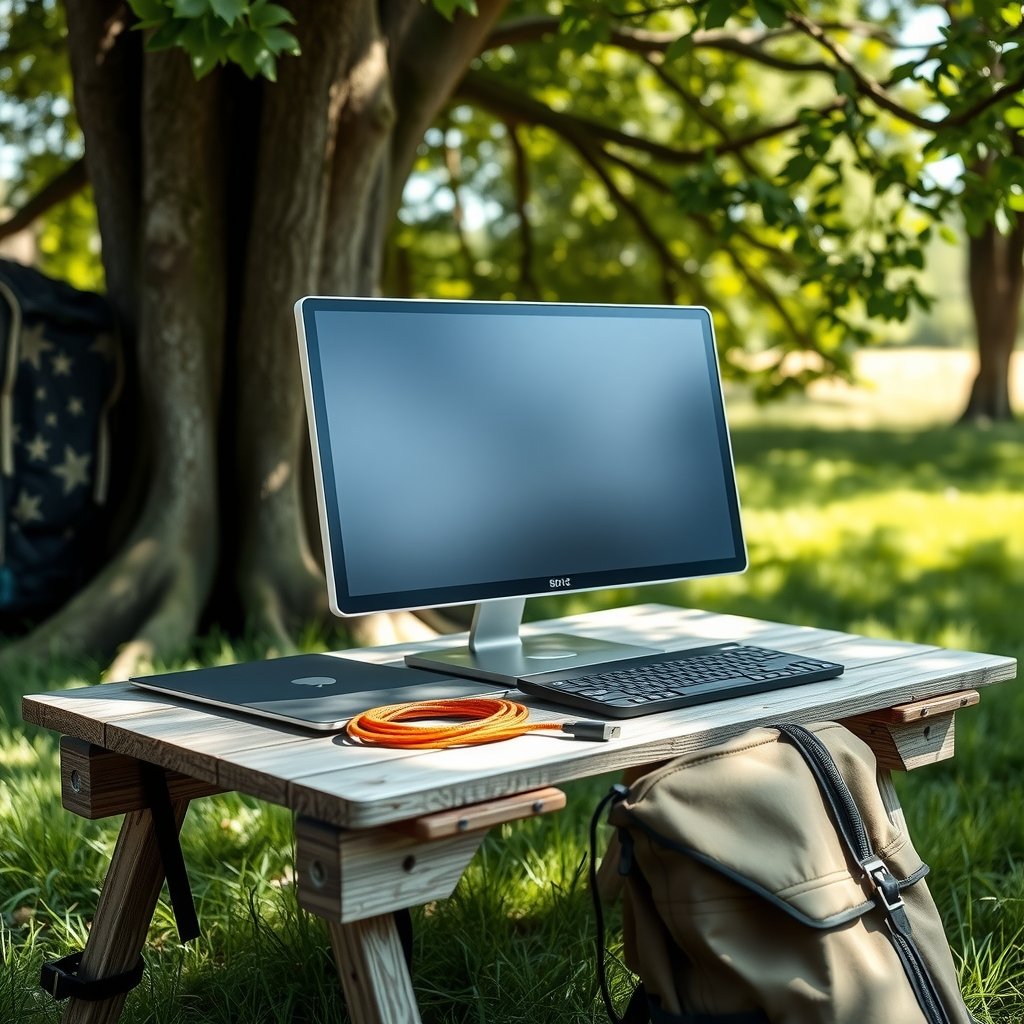
Ever tried to spread a spreadsheet across a 13-inch laptop screen in a hotel room? It is a special kind of misery. A second screen fixes that in about ten seconds flat, and it no longer means hauling a desktop display through an airport. Portable monitors now range from budget panels that cost less than a nice dinner to OLED models that a photographer can genuinely trust with color grading.
The catch is that the category is crowded with near-identical slabs, and the spec sheets lie just enough to be annoying. This roundup cuts to six named options worth considering, explains who each one suits, and flags the one real limitation that might send you elsewhere. A comparison table comes first, then the picks, then a short buying guide for the details that actually matter.
Comparison Table: Six Portable Monitors at a Glance
| Monitor | Best For | Panel | Standout Strength | Main Limitation | Price |
|---|---|---|---|---|---|
| ViewSonic ColorPro VP16-OLED | Creative work and color accuracy | 15.6-inch OLED | Pantone Validated, Delta E under 2 | OLED cost | Not stated |
| ViewSonic VX1655-4K-OLED | Premium all-round use | 16-inch 4K OLED | Superb brightness, contrast, color | Ports and joystick hard to reach | Pricey |
| Lenovo ThinkVision M14t Gen2 | Overall pick for most people | 14-inch, 2560 x 1600 | 400 nits, 75Hz, three-year warranty | Premium price for its size | Not stated |
| Uperfect A17 DS15607 | Sharp text on a budget | 15.6-inch 4K | About 427 nits, 1610:1 contrast | Bland design, no frills | About $220 |
| NexiGo | Gaming on the move | Portable gaming panel | Built for high-refresh play | Niche appeal | Not stated |
| Acer SpatialLabs View ASV15-1B | 3D-curious gamers | 15.6-inch 4K | Glasses-free 3D viewing | Over a thousand dollars | Over $1,000 |
What to Look For Before You Buy Any of These

Three things decide whether a portable monitor feels like a tool or a paperweight.
Connection. One-cable setups only work if your laptop’s USB-C port outputs video, which usually shows up in the specs as DisplayPort Alt Mode, Thunderbolt, or USB4. If your machine lacks that, you will fall back to mini HDMI plus a power cable, and your bag gets heavier. Check your laptop’s port spec sheet before anything else.
Weight. Under about two pounds is where a monitor stops feeling like a burden in a backpack. Above that, you start leaving it at home, which defeats the purpose.
Refresh rate. 60Hz is fine for documents and video calls. If you plan to game on it, 120Hz or higher is worth hunting for.
One more practical note: many portable monitors advertise a brightness number they only hit with auxiliary power plugged in. If a review mentions that a panel “needs auxiliary power for max brightness,” believe it and pack the adapter. For a deeper walkthrough of matching a screen to travel and play, see this guide on how to choose the best portable monitor for work, travel, and play.
ViewSonic ColorPro VP16-OLED: The Pick for Photographers and Editors
Who it suits: photographers, video editors, and designers who need to trust what they see on a hotel desk.
The 15.6-inch OLED panel uses self-lit pixels, so blacks go genuinely black and colors pop in a way LCD panels struggle to match. ViewSonic calibrates every unit at the factory and certifies it Pantone Validated to a Delta E under 2, which means color accuracy is close enough that a working editor can grade on the road and not panic about it later.
The stand is the quiet hero here. A double-hinged base raises the screen to eye level, tilts, folds flat, and rotates vertical for reading long documents. There is even a tripod thread underneath, which is a small detail that matters if you shoot on location and want a monitor at camera height.
The limitation: OLED panels cost more, and this one is no exception. If you mostly write emails and watch YouTube, you are paying for color precision you will never use.
ViewSonic VX1655-4K-OLED: Premium Performance, Awkward Ports
Who it suits: buyers who want one screen that handles everything well and do not mind paying for it.
This is a 4K OLED panel with exceptional brilliance, contrast, and color coverage, plus high pixel density that keeps text razor sharp. Two USB-C ports each deliver 60 watts of power, so pass-through charging works cleanly. The hinged stand tilts the screen to a comfortable angle, and it feels sturdy rather than flimsy.
The limitation: the joystick and ports sit in awkward spots that are annoying to reach once the monitor is set up. Reviewers also call it a bit pricey for the category. Neither is a dealbreaker, but both are the kind of small friction you notice daily.
Lenovo ThinkVision M14t Gen2: The Sensible Default
Who it suits: the traveler who wants one dependable screen for work and does not want to think about it again.
The 14-inch panel runs 2560 by 1600 at 400 nits and 75Hz, with a tilting, swiveling stand that pivots between landscape and portrait. A three-year parts and labor warranty is unusually generous for this product class, and it signals a manufacturer that expects the thing to survive life in a bag.
The limitation: it is a premium price for a 14-inch screen. If you mostly need extra real estate for spreadsheets and email, a cheaper 15.6-inch panel does the same job.
Worth knowing: if you travel with a laptop, a monitor, and a phone, your charging setup becomes the real bottleneck. A compact portable power station for real-world backup can keep the whole desk alive during a long airport layover when outlets are scarce.
Uperfect A17 DS15607: The Budget Choice That Punches Up
Who it suits: budget buyers who want sharp text and do not care about design polish.
At around $220, the A17 delivers a 4K 15.6-inch panel at almost 285 pixels per inch, so text is exceptionally sharp. Measured brightness lands around 427 nits, a touch shy of its 450-nit rating but still strong, and the 1610:1 contrast ratio is surprisingly high for the price. A matte finish keeps glare manageable in bright rooms. The design is not elegant, but it is simple and effective.
The limitation: it falls short of its own advertised specs in places, and it skips niceties like audio or HDMI in some configurations. Buy it for the panel, not the package.
NexiGo: The Gaming-Focused Option
Who it suits: gamers who want a bigger screen than a handheld PC or a docked console provides in a hotel room.
NexiGo’s portable gaming panel earns its spot in roundups by targeting refresh rate and responsiveness rather than color accuracy. If your priority is smooth motion in fast games, this is the lane to shop in. The broader category also includes 18.5-inch panels with 100% sRGB coverage and 100Hz refresh, though those often disappoint on brightness and may need additional power.
The limitation: gaming panels often trade color fidelity and build quality for speed. Do not expect photo-editing accuracy here.
If gaming is only part of your travel routine and you also want to stay active on the road, a set of portable travel exercises that actually fit in a carry-on is a better use of luggage space than a third gadget.
Acer SpatialLabs View ASV15-1B: Glasses-Free 3D for the Curious
Who it suits: adventurous gamers with a recent gaming laptop and money to spare.
This 15.6-inch 4K panel offers glasses-free 3D viewing, which is genuinely novel and works as a viable system for viewing 3D content without the old plastic glasses. If you have ever wanted to try spatial displays, this is the most practical way in.
The limitation: it costs over a thousand dollars, which puts it firmly in enthusiast territory. Reviewers describe it as imperfect but worth consideration for gamers who can afford to experiment. Everyone else should walk past.
How to Choose Without Overthinking It
Work backward from your actual use case, not from the spec sheet.
- Write down your top two tasks. Documents and video calls? A 60Hz budget panel is plenty. Photo editing? You need OLED and factory calibration. Gaming? Chase refresh rate.
- Check your laptop’s USB-C video support. No DisplayPort Alt Mode, Thunderbolt, or USB4 means you are packing an HDMI adapter and a power brick.
- Weigh your bag. Under two pounds is the practical ceiling for daily carry.
- Budget for the stand. A flimsy kickstand that slips on a hotel desk will ruin the experience faster than a slightly dimmer panel. Hinged stands and tripod threads are worth paying for.
- Buy the panel, not the speakers. Built-in audio on portable monitors is consistently weak. Use headphones.
One common mistake: buying a 4K panel for a laptop that cannot drive it well, then wondering why text looks soft. Another: assuming a monitor’s advertised brightness applies on bus power. It often does not. A third: skipping the case. Most portable monitors ship with a sleeve, but a rigid folio saves screens from the bottom of a backpack.
The same logic applies across portable gear generally. A portable tire inflator worth keeping in the trunk earns its place because it solves one problem well, and a monitor should meet the same bar. If you are building out a travel kit, matching each device to a specific job beats buying the flashiest option in every category.
Conclusion
The best portable monitor is the one that matches the work you actually do away from your desk. For most people, the Lenovo ThinkVision M14t Gen2 is the safe, well-warrantied default. Creative professionals should stretch for the ViewSonic ColorPro VP16-OLED, where factory calibration and a versatile stand justify the cost. Budget buyers get remarkable sharpness from the Uperfect A17 at around $220, gamers should look at NexiGo, and the Acer SpatialLabs View is a fascinating toy for those with a four-figure budget and a taste for 3D.
Whatever you pick, verify the connection spec on your laptop first, keep the total under two pounds, and pack the power adapter. Do those three things and the second screen becomes the most useful thing in your bag.
Frequently Asked Questions
Do portable monitors need their own power source?
Most draw power over USB-C from the laptop, but many need auxiliary power to reach maximum brightness. If a review notes that a model falls short of its advertised brightness, plan to plug it into a wall adapter or power bank for the best picture.
Can I use a portable monitor with a phone or game console?
Yes, provided the device supports USB-C video output over DisplayPort Alt Mode, Thunderbolt, or USB4. Handheld PCs and docked consoles are common pairings, and a 120Hz or higher panel makes a noticeable difference for gaming.
Is OLED worth it on a portable monitor?
It depends on your work. OLED delivers deep blacks, saturated color, and the kind of accuracy that lets photographers and video editors grade on the road. For email, spreadsheets, and streaming, an LCD panel costs less and does the job fine.
What size portable monitor should I buy?
Most models run 14 to 16 inches and slip into a laptop sleeve. Larger 18.5-inch panels exist and offer more screen area with 100% sRGB coverage, but they often disappoint on brightness and may need extra power.
How much should I expect to spend?
Budget 4K panels start around $220, mid-range options sit higher, and premium OLED models cost considerably more. Enthusiast 3D displays run over a thousand dollars. Check current pricing before buying, since it shifts often.
Do portable monitors work for photo editing?
They can, if you choose a calibrated panel. Look for factory calibration and a certified color accuracy rating, such as Pantone Validated with a Delta E under 2. A matte finish also helps when you are editing in a bright room.











